This action requires the **"create new workflow"** permission.
New workflows can be created through the **[Create new workflow](https://placeholder.erp/workflows/create)** form. [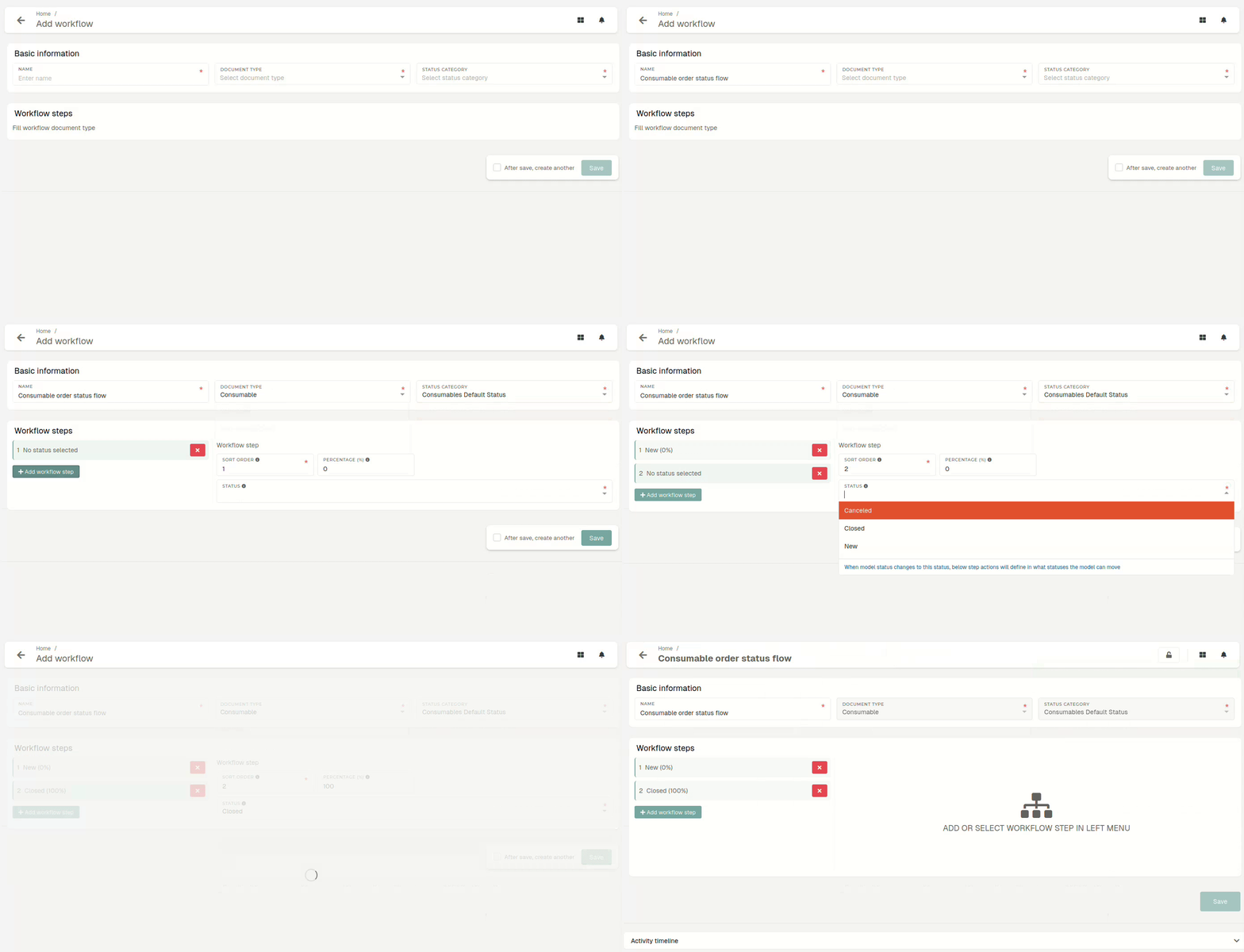](https://how-to-erp.dewesoft.com/uploads/images/gallery/2025-07/BUWoutput.gif)There should be only **one workflow for** every **status category of** a certain **document type.**
##### Workflow steps workflow steps define how a record can move between statuses (from which status into which status). Available statuses for the workflow steps depend on the selected "status category".Once a workflow is created, only statuses, defined in workflow steps will become valid. Any other status within the selected status category of the document type will result in an error.
[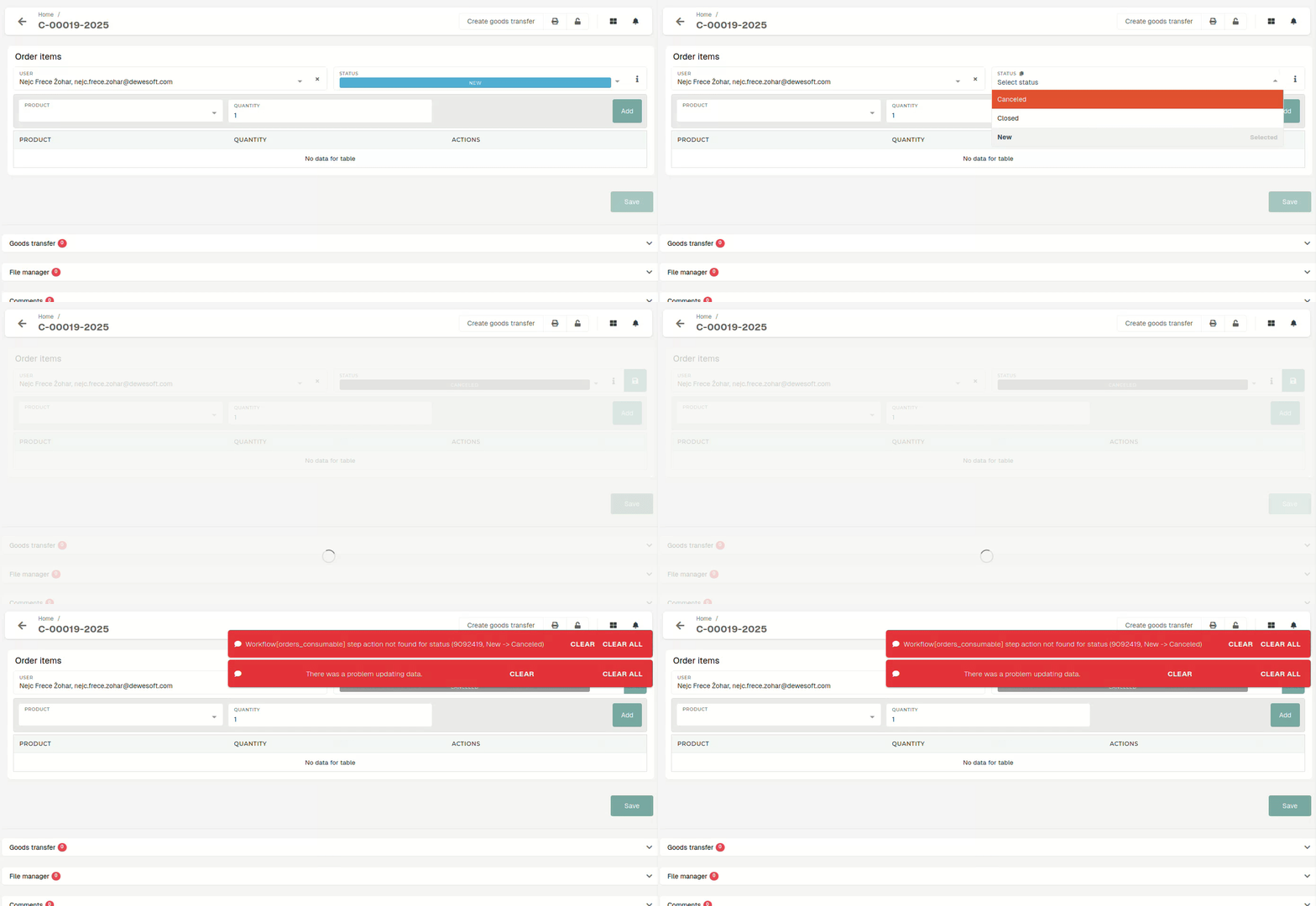](https://how-to-erp.dewesoft.com/uploads/images/gallery/2025-07/5Z9output.gif) # Update existing workflowThis action requires the **"update workflows"** permission.
# Delete workflowThis action requires the **"delete workflow"** permission.
Workflows can be deleted.