This task should be done only by developer administrators.
To create a new scheduled job, you must click on the "**+**" icon on the top right corner. You will be redirected to the "[Create new scheduled job form](http://placeholder.erp/scheduled-jobs/create)"**Scheduled** **jobs** are **commands**, that are run **in the server's command line**. Since only administrators with access to the code base can see all available commands, scheduled jobs should be added only by those users.
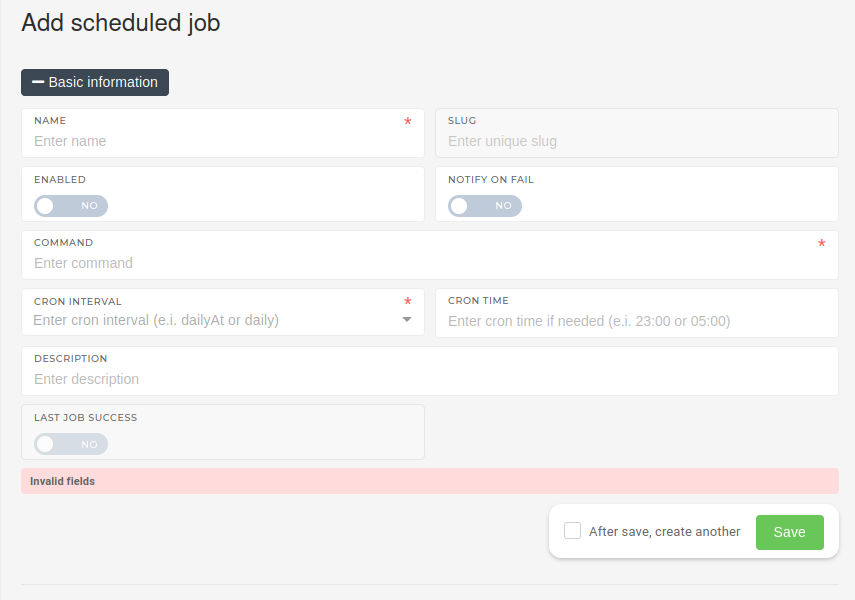 Once a unique name and job's corresponding command are inputted, the **"Cron inverval"** must be defined. This attribute defines the job's regular schedule (when it will run). A job can be run on intervals, ranging from every few minutes to running once a year.The **"Last job success"** attribute does not need to be set when creating a new scheduled job. This attribute is updated every time the scheduled job runs and shows, if the last run of the scheduled job was successful.
A job has to be enabled to run on it's regular intervals. If we want to notify the development team of a failed scheduled job, we must enable the **"Notify on fail"** option. ### Command parameters You can pass parameters to any commands with space delimiter. This parameter (argument) will be used in both, a scheduled or on-demand run. Example, where we pass `callClass` parameter in the `command` field: `scheduled-job:run-action callClass=App\Containers\ExternalApplication\Actions\BusinessCentral\SyncExpenseEventsFromBcAction`