If the order is for **promotional products,** the task is assigned to the **requester.**
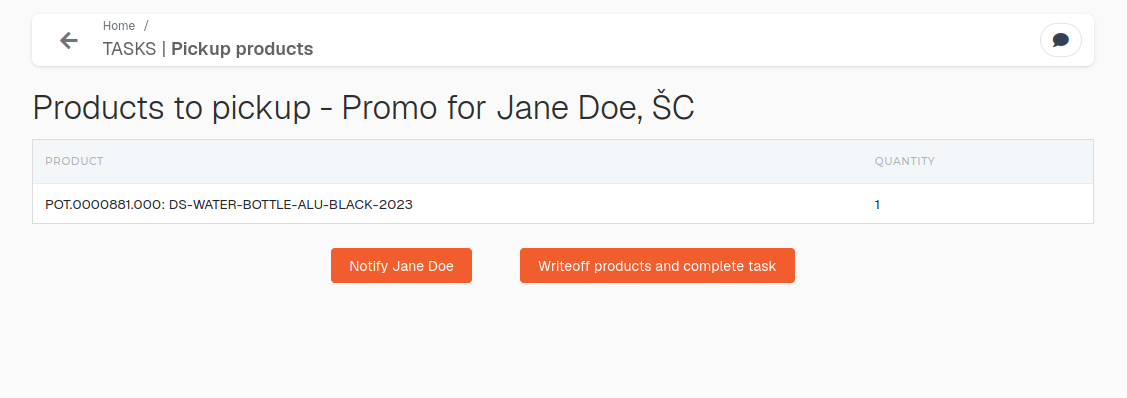 Once products have been collected by the assigned user, the order's **"end customer"** can be notified to collect items by clicking the **"Notify user"** button.If the **"pick-up"** task is **from** a **merch order,** closing it will will **trigger** a **material write-off, create invoice and delivery note.** The created invoice will then be automatically sent to the "end customer".
After promotional items are **"picked-up"**, the requester should click the **"Write-off products and complete task"** button. This will **finish** and **close** the **task.** ##### Work equipment pickupIf the order is for **work equipment,** the task is assigned to the **head of the department.**
[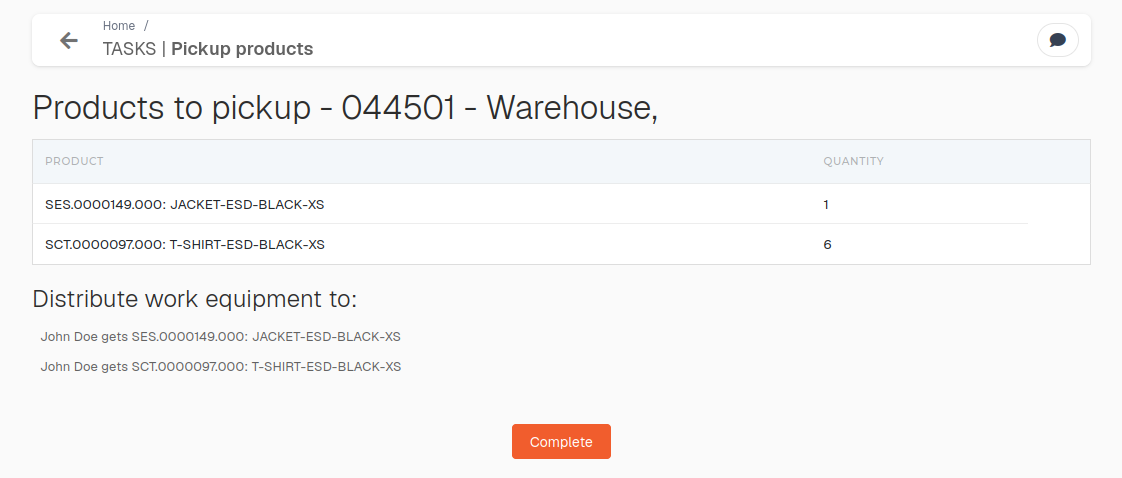](https://how-to-erp.dewesoft.com/uploads/images/gallery/2026-05/paaimage.png) After items are **"picked-up"** , the head of the department should click **"Complete"** to **finish** and **close** the **task.**