Request missing work equipment
This action can only be performed by department heads.
To request work equipment, open the "workflow approval" page and and select the "Missing work equipment" button in the "Actions" section.
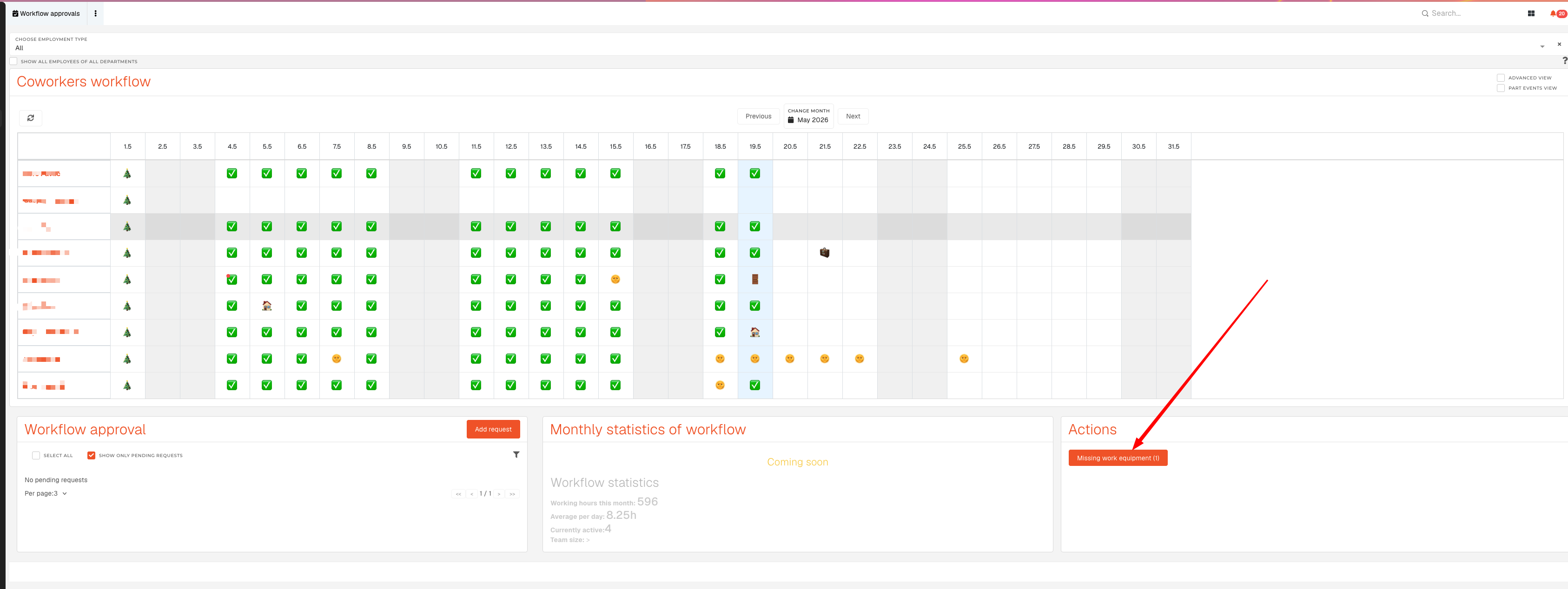
You will see a list of required work equipment, where you can select work equipment for each employee:
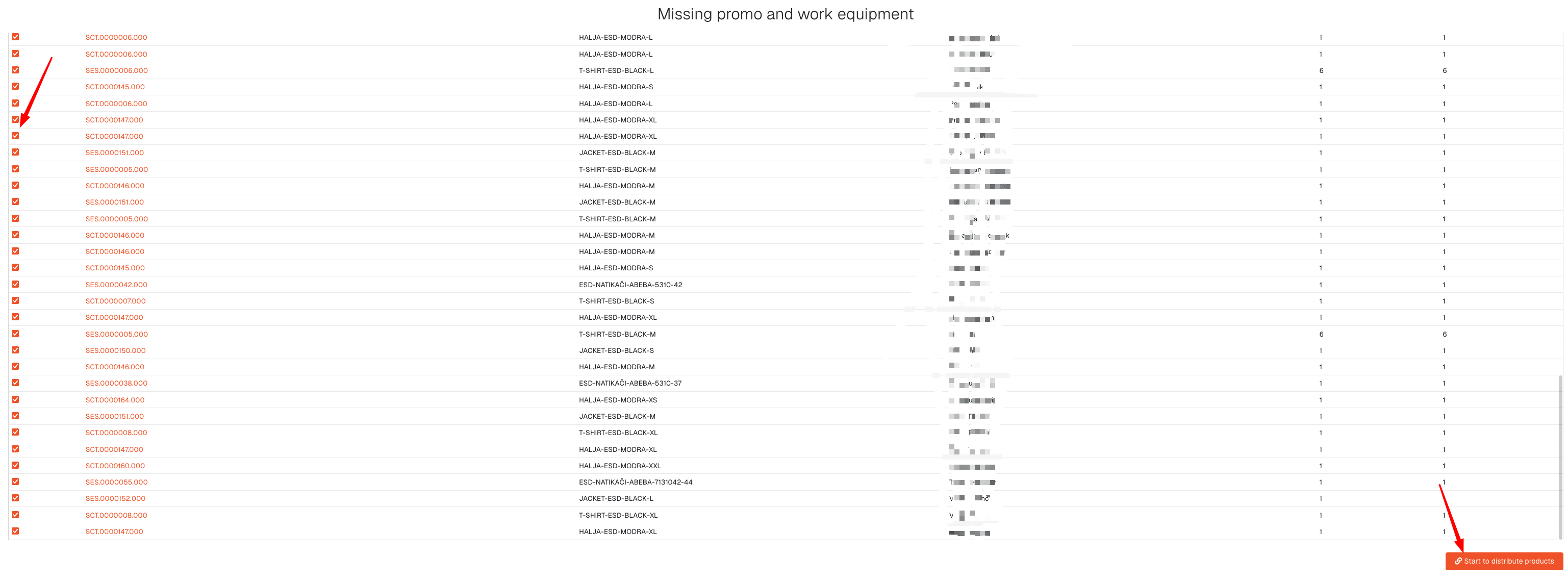
After clicking the "Start to distribute" button, the work equipment distribution process will be started.
Check page: https://how-to-erp.dewesoft.com/books/admin/chapter/promo-and-work-equipment