This action requires the **"update print signer"** permission.
Past signers cannot be edited. Signers have the **"Active/Inactive"** state, determined by the **"Active from"** and **"Active to"** dates. If a signer is inactive, the entire edit form is disabled, to prevent changes that could cause problems.Only currently active print signers can be updated, as changing past print signers could cause conflicts.
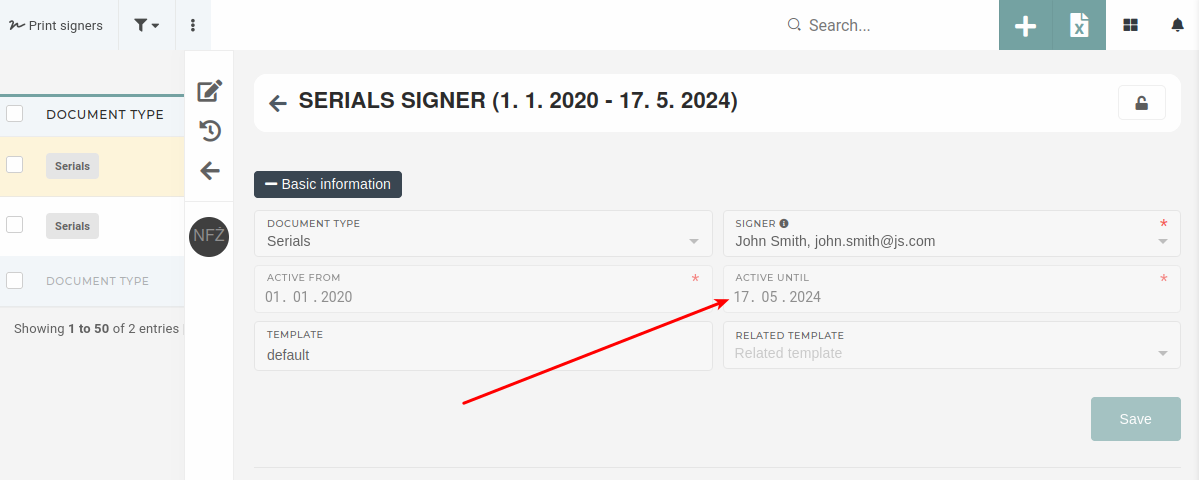 Once a print signer has been created, its "Document type" is locked and cannot be changed. This is to ensure no conflicts occur when updating active signers. 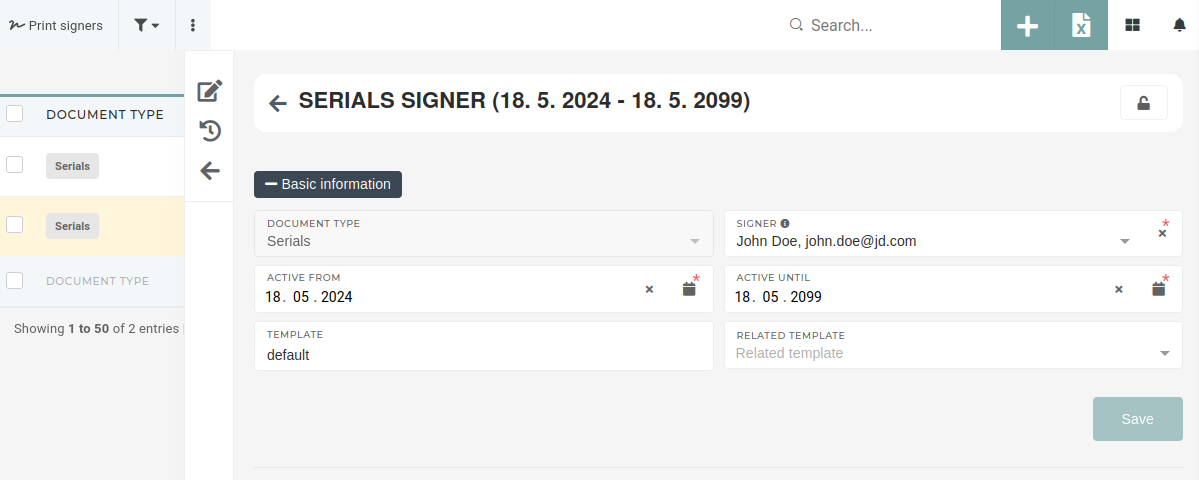When updating the **"Signer"** , keep in mind that changing the selected user will impact all document prints in the selected active range (active from - active until).
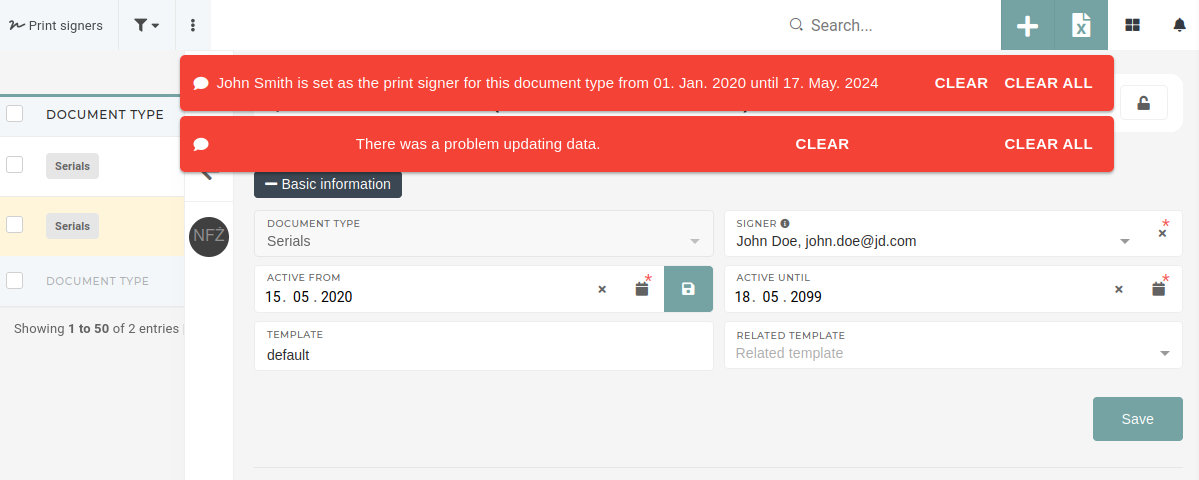
While active range dates can be edited, the **"Active from"** date should not be changed, as that could cause conflicts with past print signers.If the dates are changed and would cause conflicts when saved, a message is displayed, informing the user, which print signer's dates overlap with the new ones.
 If a print signer is, for whatever reason, no longer signing a document print, the **"Active to"** date should be set to the previous day and the form will disable itself automatically. [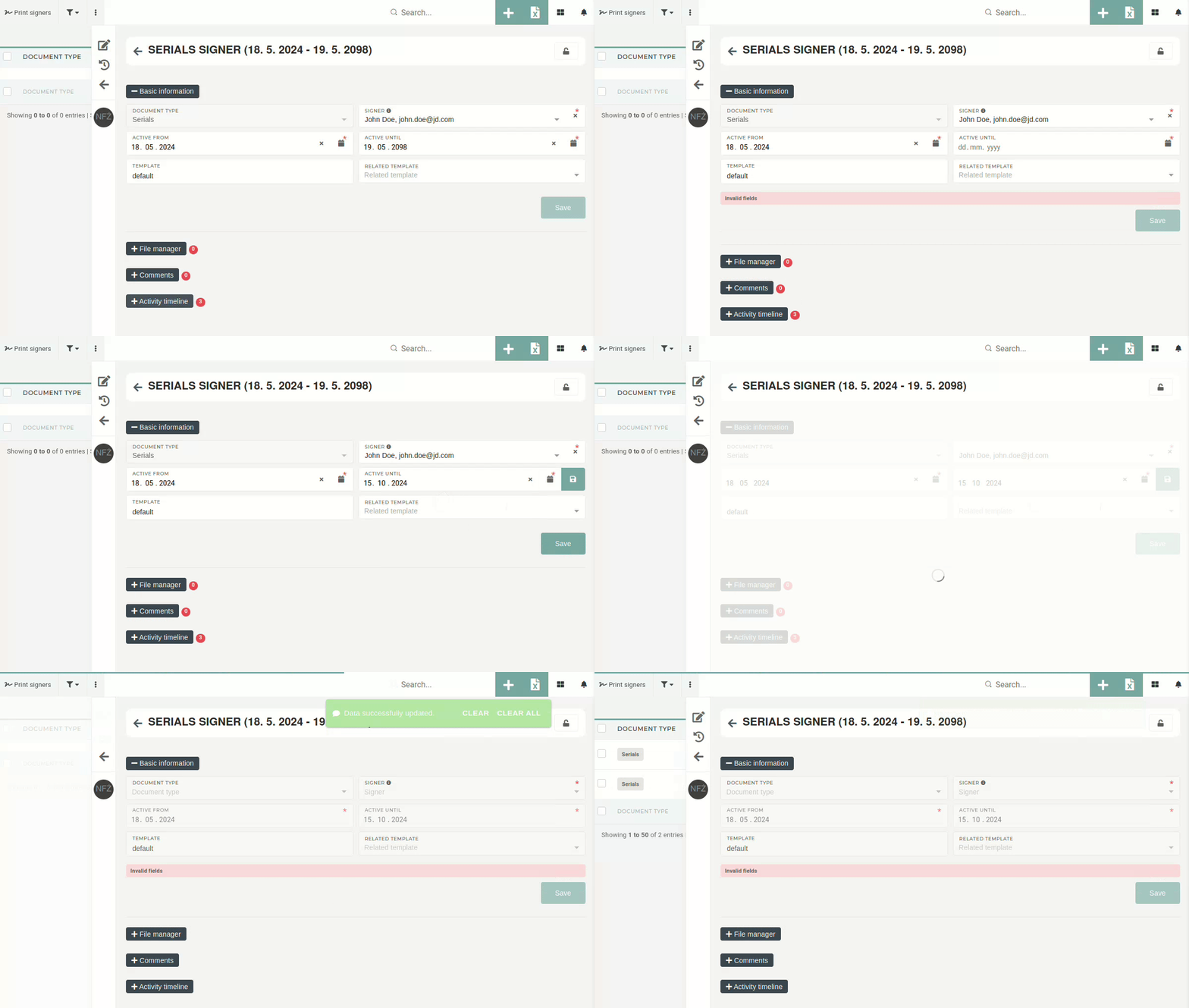](https://how-to-erp.dewesoft.com/uploads/images/gallery/2024-10/VoBoutput.gif) After that, a new print signer has to be created to replace the now inactive print signer.