Attendance requests can also be used to fix "issues" with attendance: For example, when an employee forgets to unregister before going home.
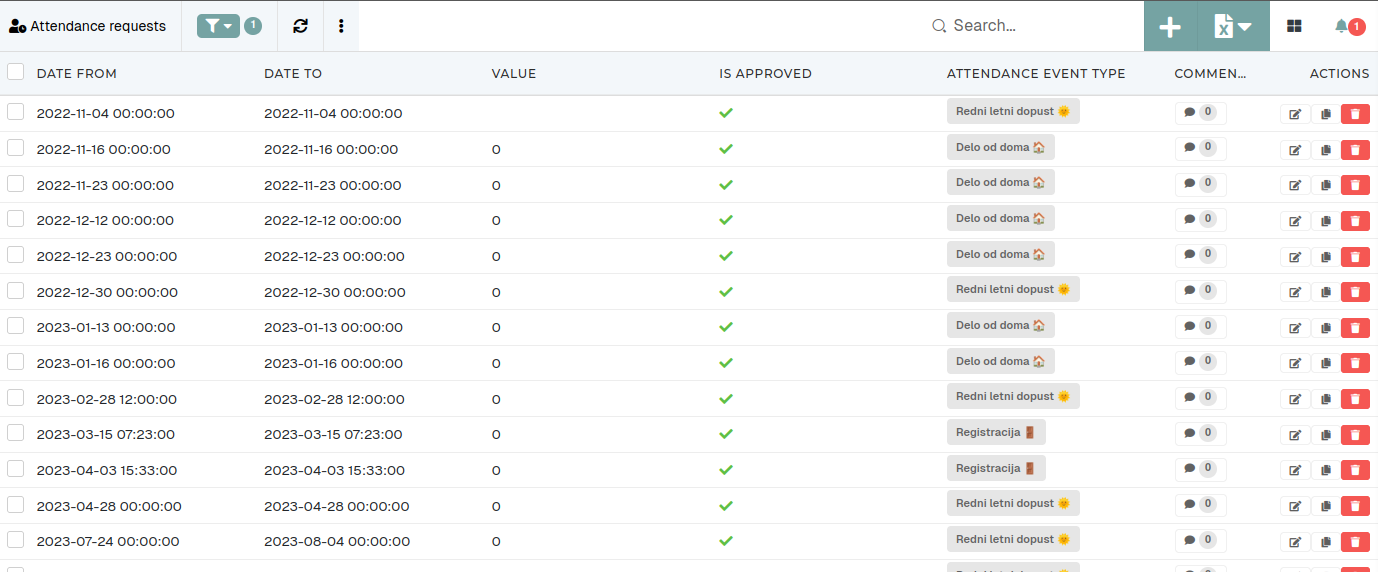 # Create new attendance requestThis action requires the **"Create attendance requests"** permission.
Attendance requests can be created in more than one way. #### #### Create new attendance request through the create form To create a new attendance request, click the "**+**" button, this will redirect you to the "[Create new attendance request](https://placeholder.erp/attendance-requests/create)" form. 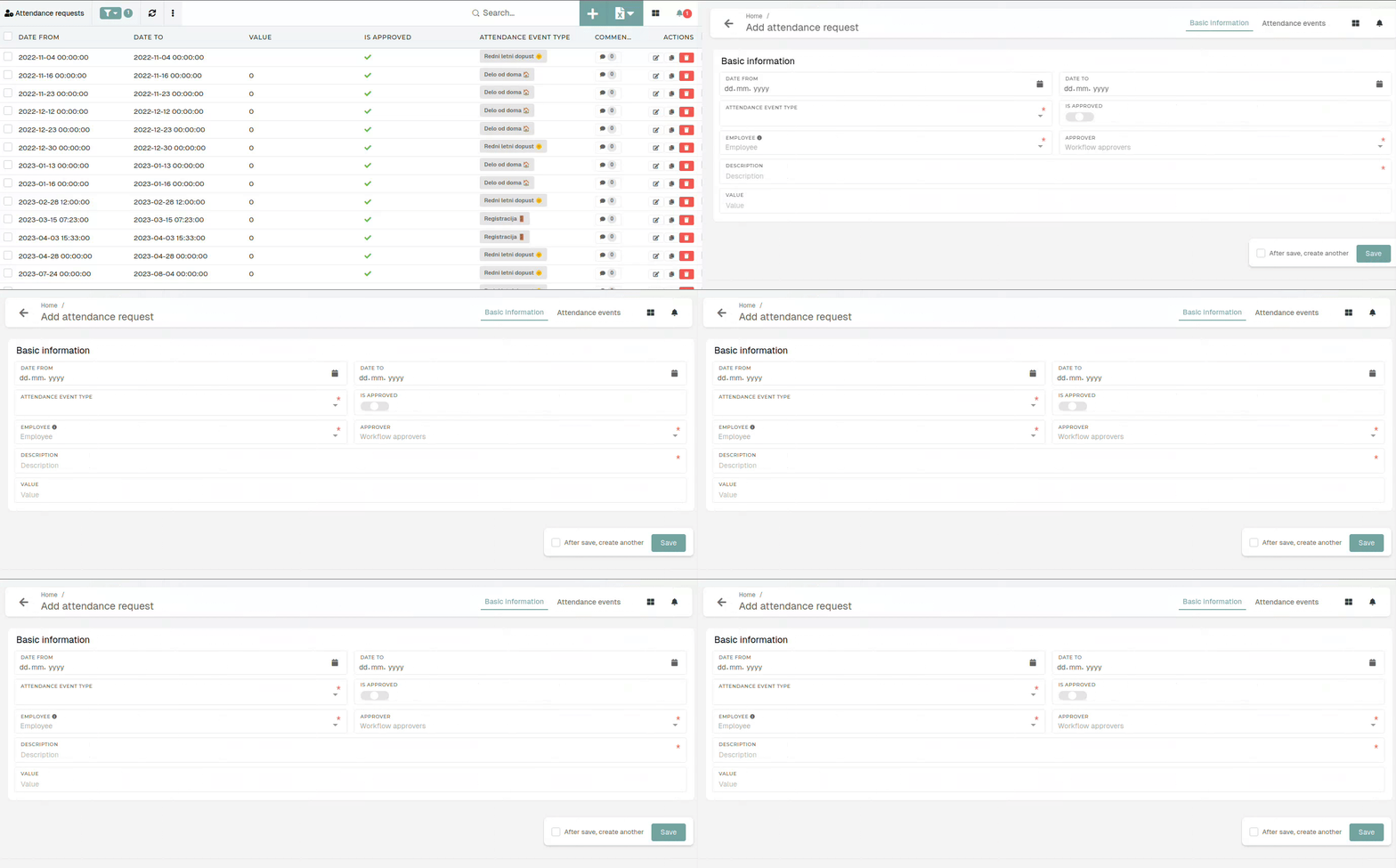 To create a new attendance request, you need to define the **"from"** and **"to"** dates, select an attendance event type, select **the** **employee** (for who the request is being create), **the approver** (who will approve/decline the request) as well as a mandatory **description**. #### Create a new attendance request from your profile Click on a day in the calendar, click the "**Add new workflow request**" button and fill out the new request form.Submitting an attendance request from this page will sent an email to your lead, who will then approve/decline it.
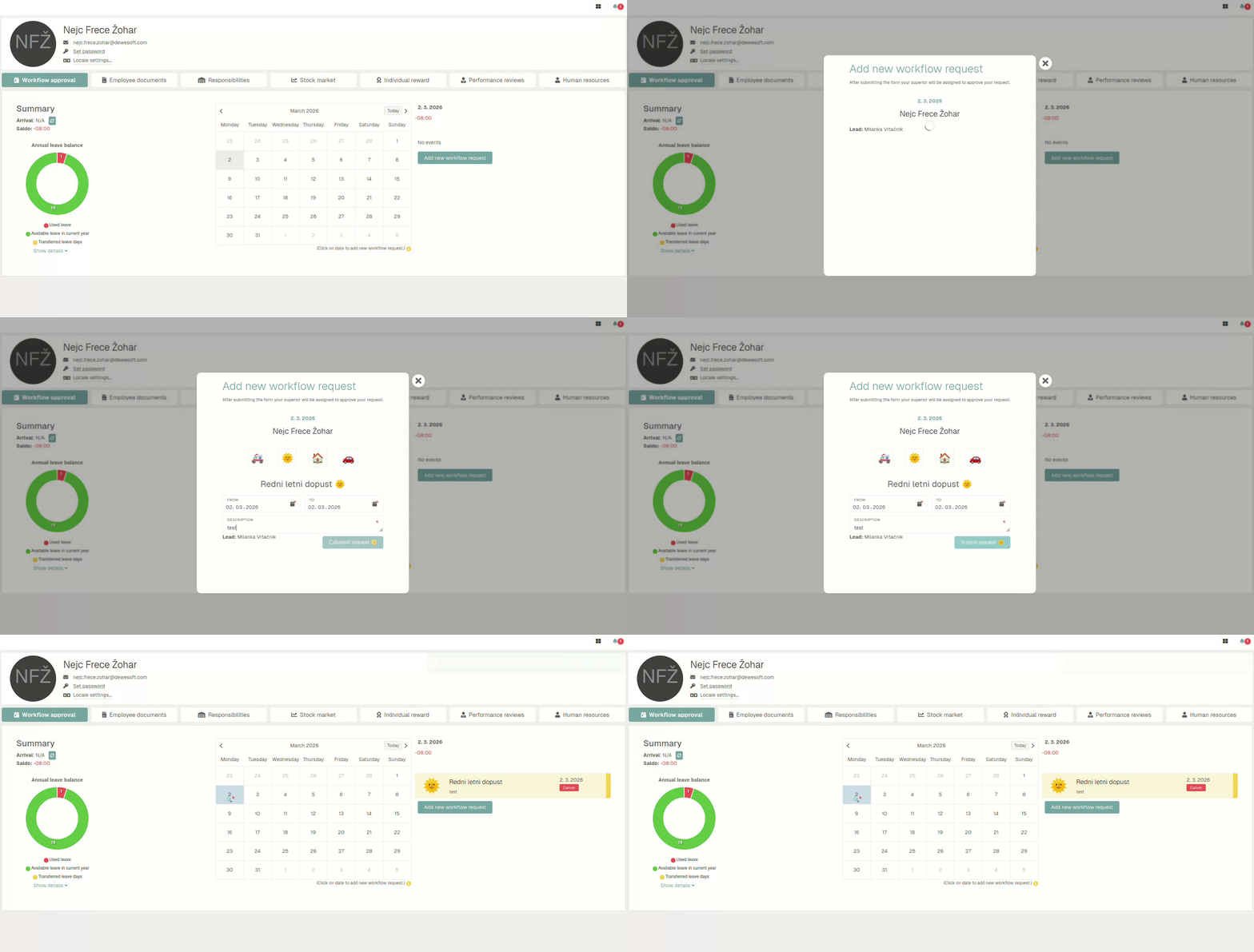Department leads can also create attendance requests for their employees on the "[Workflow approvals](https://placeholder.erp/workflow-approvals)" page.
# Update existing attendance requestThis action requires the **"Update attendance request"** permission.
When updating an attendance requests, keep in mind that this information is depended upon by the HR module to work properly, in regards to salary generation and attendance management. 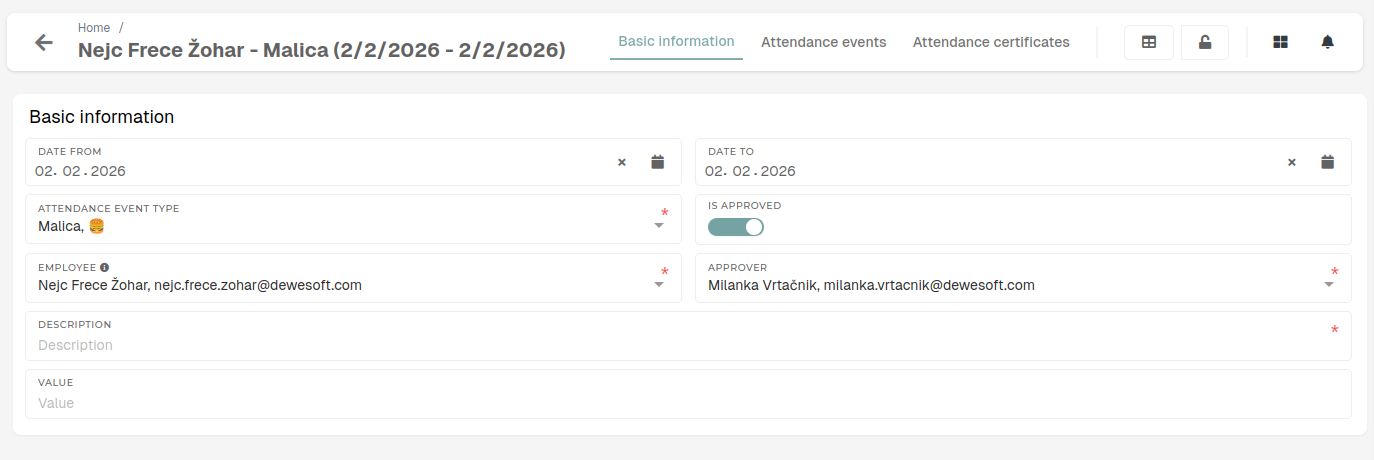 #### #### Basic information Details of the attendance request. - **Date from** - The start date of the attendance request's date range. - This date should be before "Date to". - **Date to** - The end date of the attendance request's date range. - This date should be after "Date from". - **Attendance event type** - The type of the attendance request and its attendance events. - This type determines the behaviour of the request and events within the HR module. - **Is approved** - Toggle that shows if the request is approved/declined. - This gets updated by the request approver. - **Employee** - The employee, to who this attendance request relates. - A request can be submitted by the employee themselves of by their lead. - **Approver** - The lead, who will approve/decline the attendance request. - **Description** - A mandatory description, that should contain details about the attendance request. - Description is always mandatory here. - **Value** - The value of hours of events in this attendance request. # Delete attendance requestThis action requires the **"Delete attendance requests"** permission.
To delete an attendance request, you can click the "**Trash**" icon on the row of the attendance request that you want to delete.Attendance requests cannot be deleted, if they have been locked or if any of their attendance events have been locked.
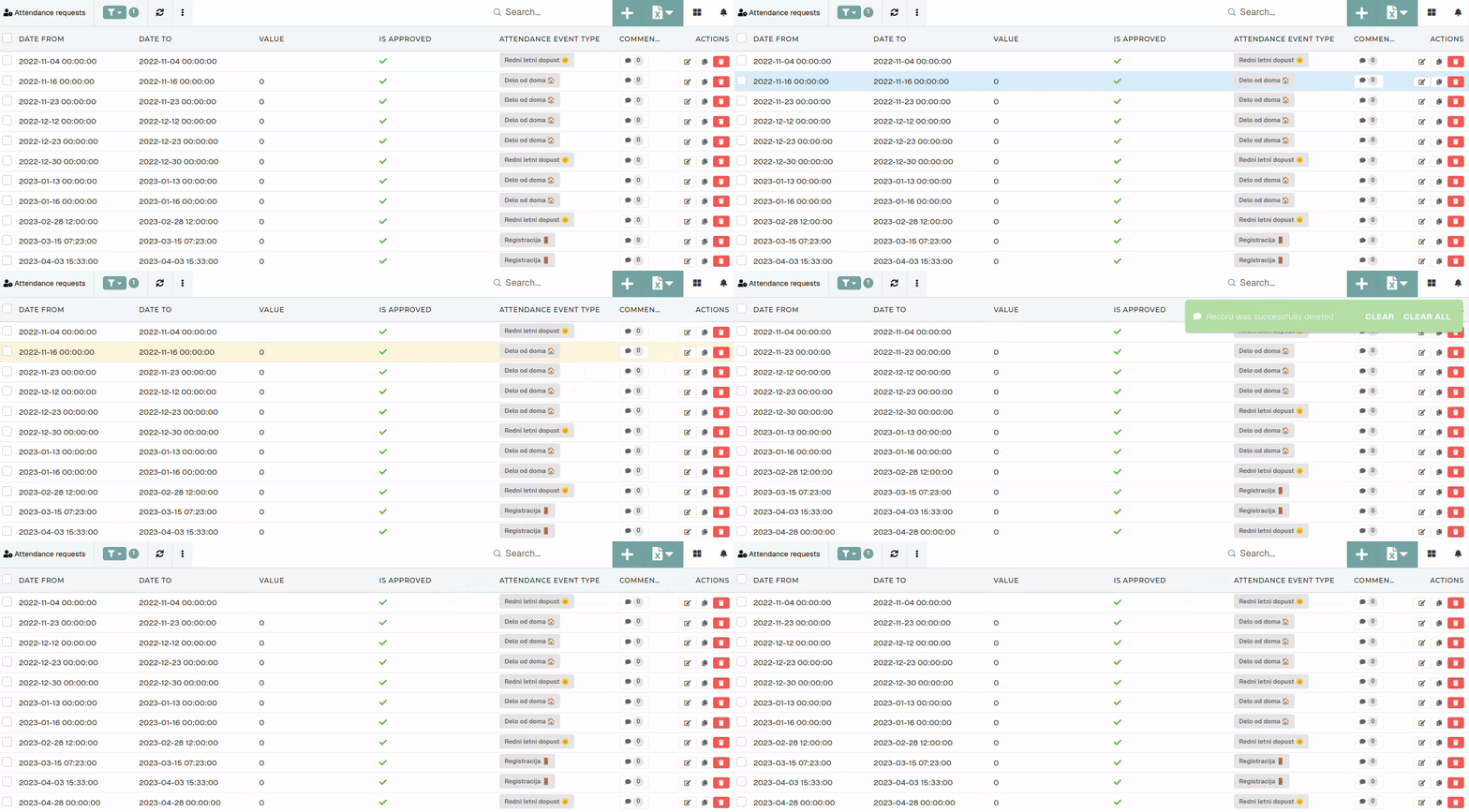Although attendance requests can be deleted, this should generally be avoided, unless the request is incorrect and has no attached events, in order to maintain data traceability within the HR module.