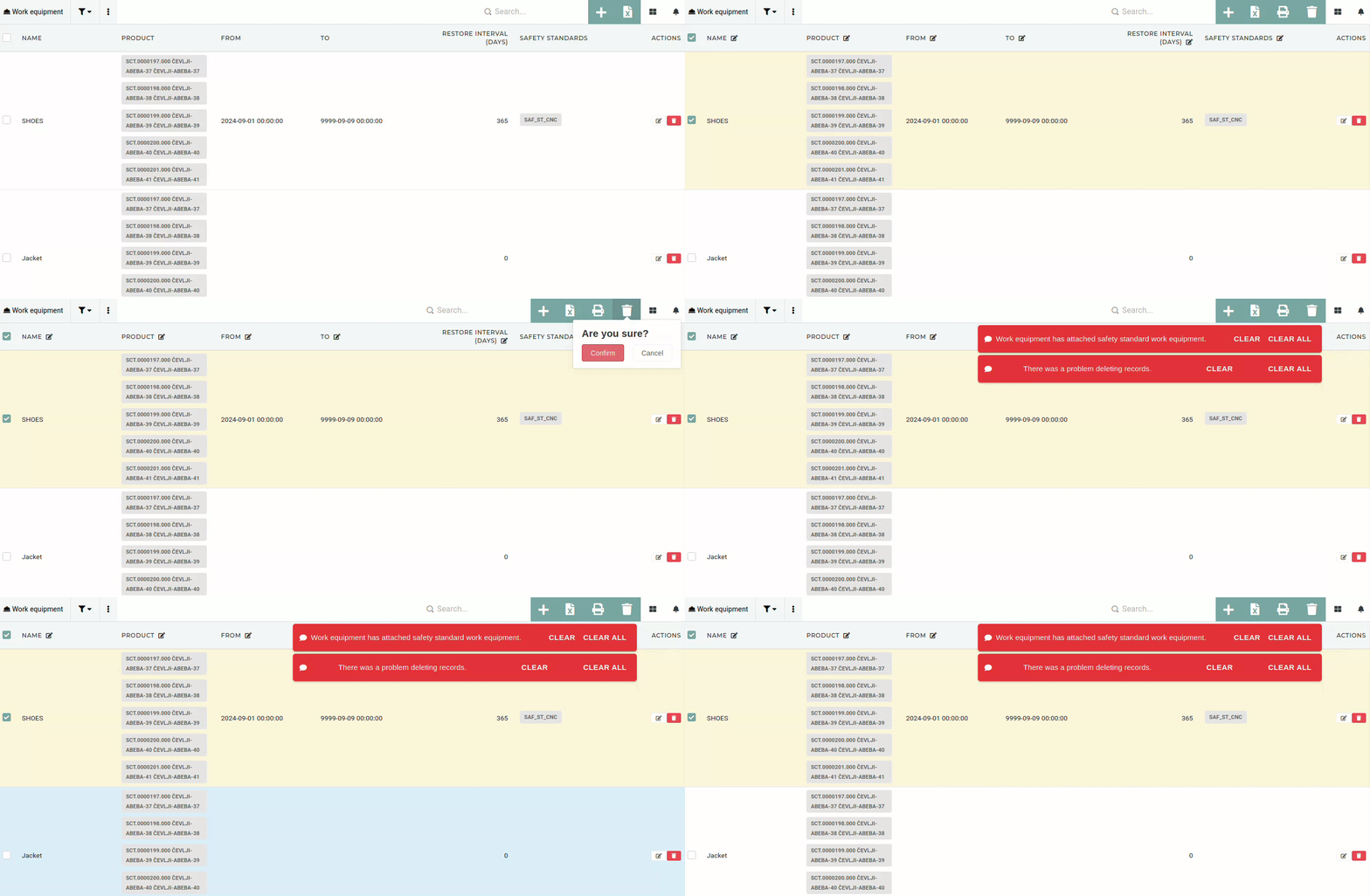
One **work equipment** can hold multiple versions of the same **product** (eg. shirts with different confection numbers: M, S, L, XL...).
# Create work equipmentThis action requires the **"create work equipment"** permission.
New work equipment can be created through the "[**Create new work equipment**](https://placeholder.erp/work-equipment/create)" form. 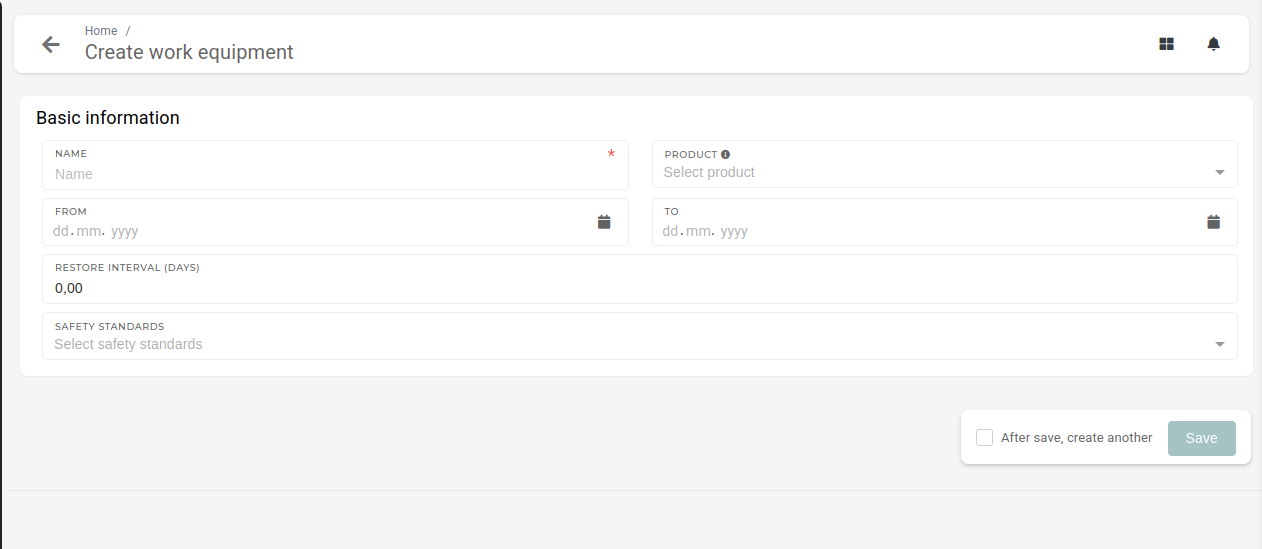When creating a work equipment, at least its name is required.
- **Name**: - The name should be descriptive, to avoid confusion with other work equipment. - **Products**: - On or more products, that are used as this work equipment (safety goggles or shoes with different sizes...) - Only **products that have define confection size**, will appear here. - **From:** - The date, when this work equipment becomes active (starts being used) - **To:** - The date, when this work equipment becomes obsolete (stops being used) - **Restore** **interval (days):** - Define the renewal period for employee equipment (they will get new equipment every **X** days). - **Safety** **standards:** - Select which safety standards include this work equipment. - One work equipment can be used by multiple safety standards # Update work equipmentThis action requires the **"update work equipment"** permission.
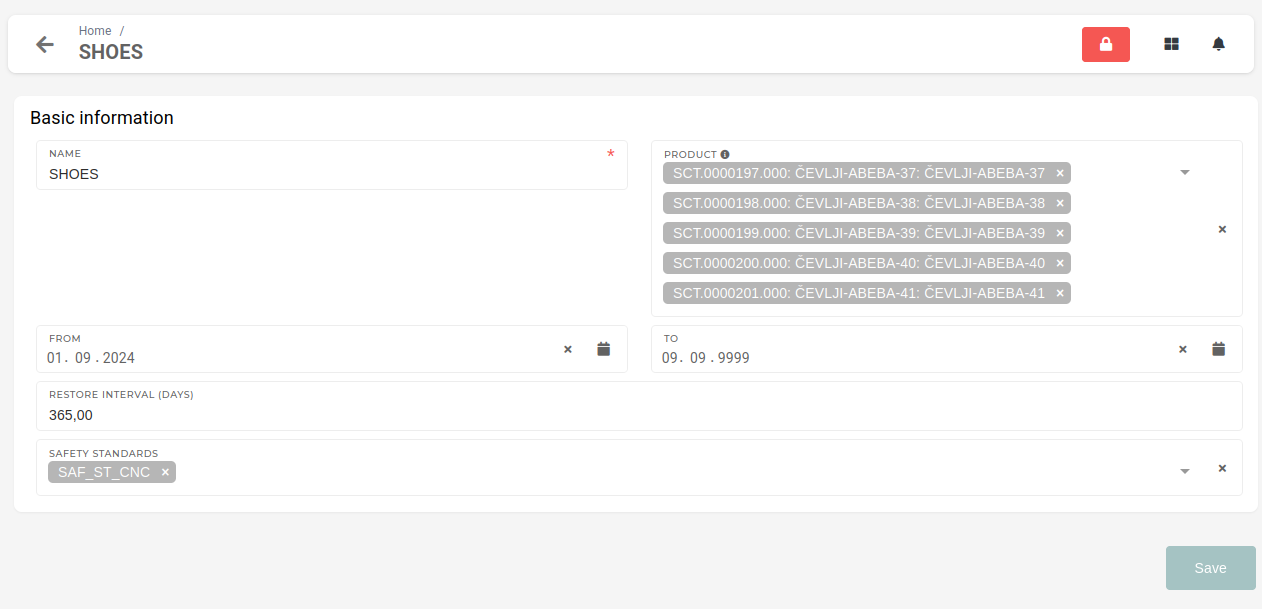 Through the update form, you can update: - **Name** of the work equipment - **Products,** that are used as this work equipment - How long the work equipment is valid **(From** and **To)** - **Restore interval** (employees receive new work equipment every X days) - **Safety standards,** that this work equipment is used bySafety standards for work equipment can also be set from the safety standard update form.
# Delete work equipmentThis action requires the **"delete work equipment"** permission.
Work equipment can be deleted by toggling their checkbox when viewing in table or by clicking the "trashcan" button on the right.You **can** only **delete** **work equipment** that is **not attached to any safety standards or work positions**.
[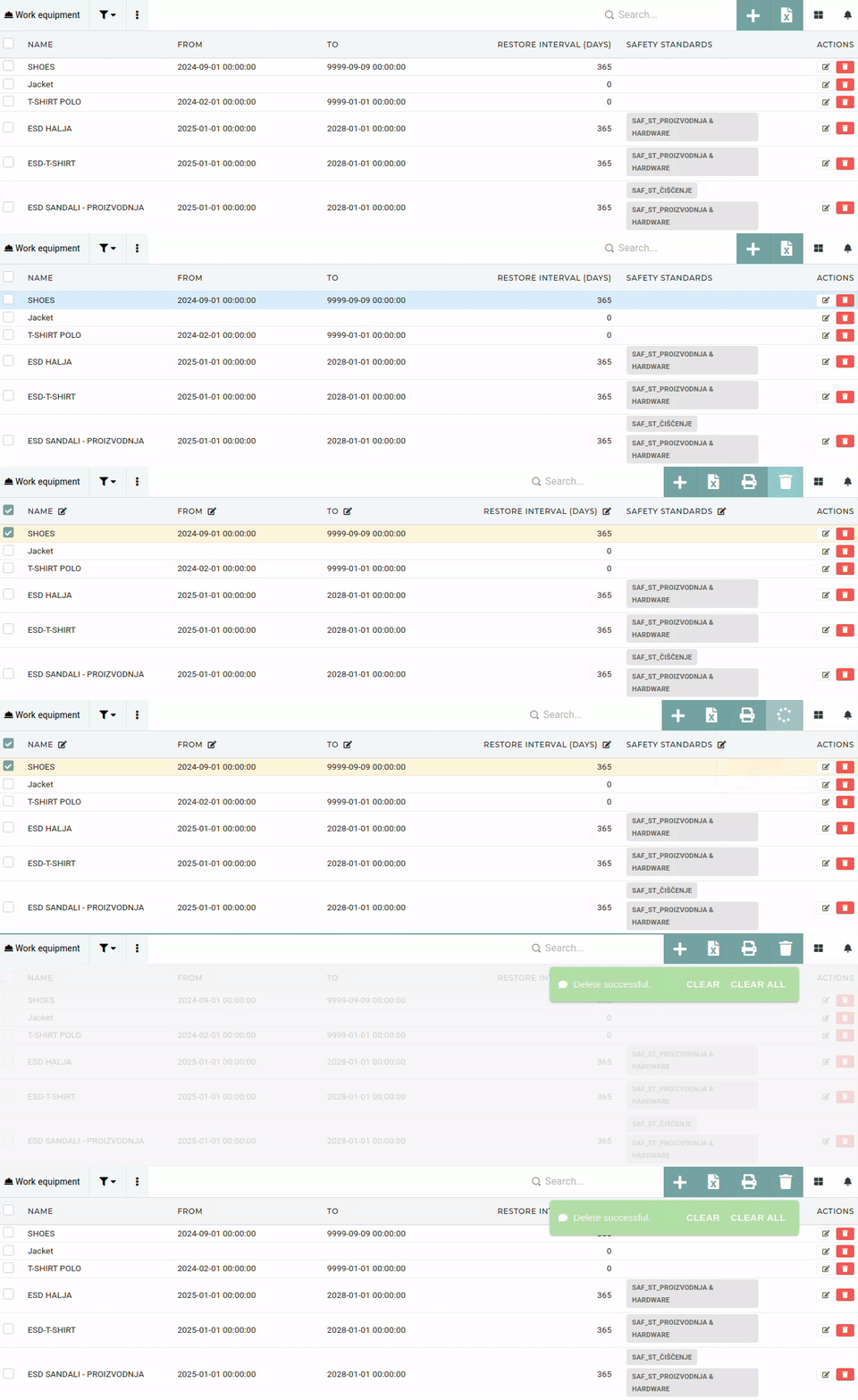](https://how-to-erp.dewesoft.com/uploads/images/gallery/2025-05/rZcoutput.gif)If the work equipment is **attached** **to any** **safety** **standards** or **is set on any work positions**, deleting will **not** **be** **allowed**.