Configurator manual
Calibration
Selected product is not compatible with this serial
- Go to the calibration product in ERP exp. "CAL-SIRIUS"
- Under "Configurator data" add the product that is supposed to be calibrated under "Eligible products when enter serials"
- Click "Save data"
Setting analog and counter products
- First create analog product
- Go to analog product and in configurator data set "IS ANALOG OUTPUT"
- Click "Save data"
- Go to normal product and set in the configurator data "ANALOG OUTPUT AVALIBLE" and "PRODUCT FOR ANALOG OUTPUT"
- Click "Save data"
-

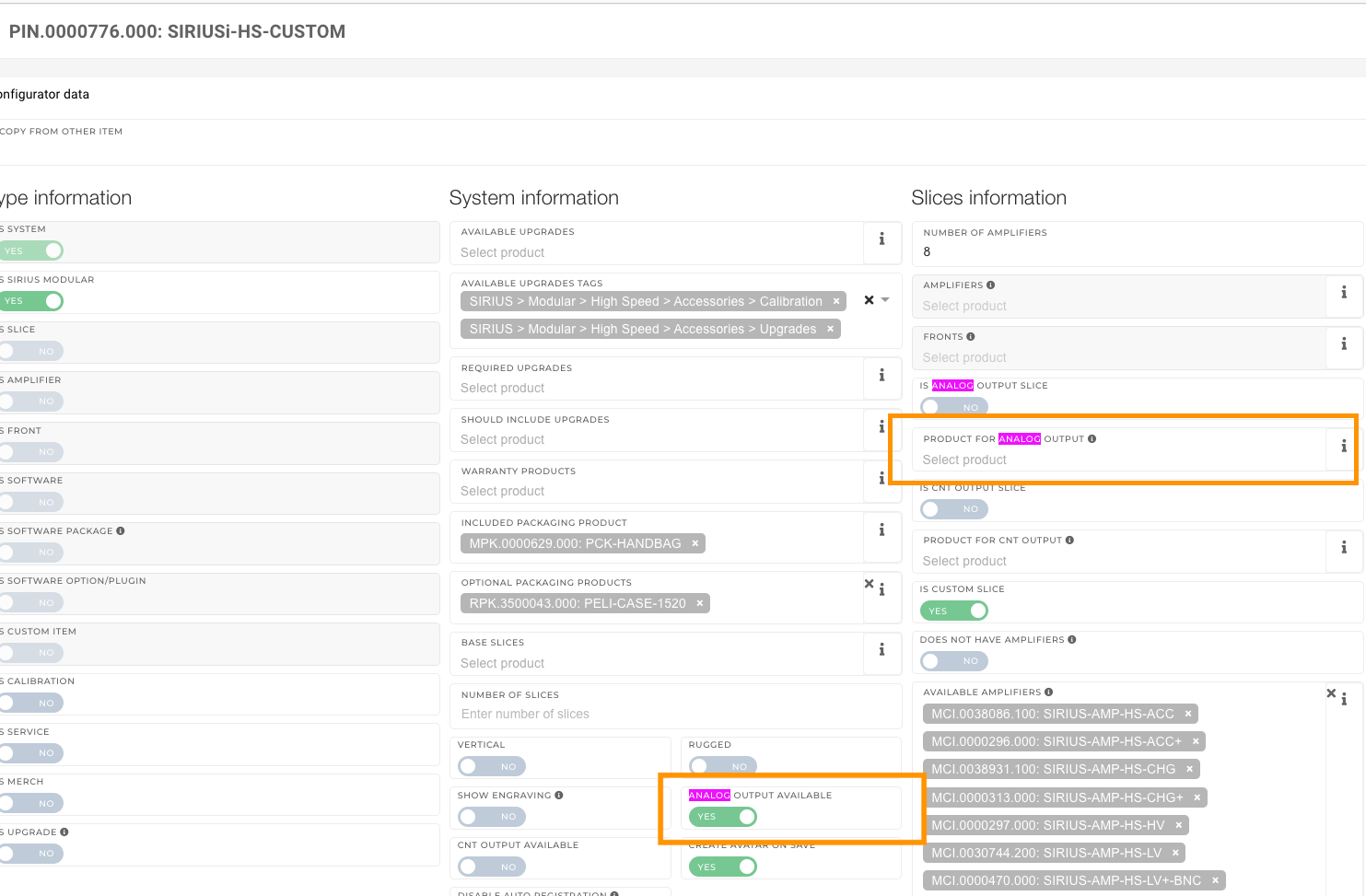
For counters steps are the same, field are IS COUNTER OUTPUT, COUNTER OUTPUT AVALIBLE and PRODUCT FOR COUNTER OUTPUT
Checkout process
Date delivery wanted pravila:
Naslednji dan:
- Naročilo vključuje izključno kalibracijo (Calibration Cart).
- Naročilo vključuje izključno nadgradnjo (Upgrade Cart).
- Naročilo vključuje programsko opremo (Software Cart) in so ostali vsi produkti na zalogi.
- Na zalogi je zadostna količina izdelkov (Enough Stock).
30 dni: Velja kot privzeti rok za vsa ostala naročila, ki ne izpolnjujejo nobenega od zgoraj naštetih pogojev.
CRM - 30 dni: Za vsa naročila, ki so obdelana preko CRM sistema, se želeni datum dostave vedno nastavi na 1 mesec, ne glede na specifično vsebino naročila ali stanje zaloge. (Ne gledamo zaloge HQ trenutno)