# Locking Inventory period
*This action can only be performed by users with proper authorization.*
> Inventory periods define **a period of time in which you can post changes to inventory**. An inventory period is defined by the date on which it ends, or the ending date. When you close an inventory period, you cannot post any changes to inventory, either expected or invoiced, before this ending date.
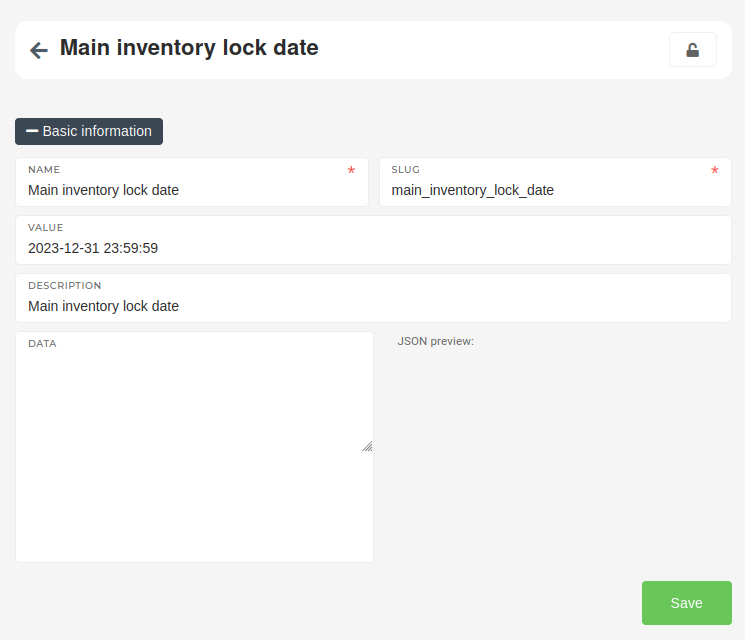
To lock a system's inventory, go to "[**Options**](https://placeholder.erp/options)" table and search for the "**Main inventory lock date**" option. Once on the page, the **"Value"** field needs to be changed to update the inventory lock.
The date in the **"Value"** field of the "**Main inventory lock date**" option is used to lock the inventory up to that date. All goods receipts, goods transfers, goods write-offs and invoices, created up to that date cannot be updated.
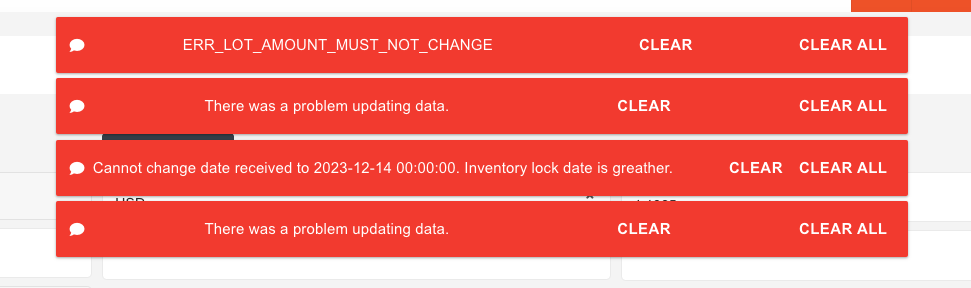
Attempts to edit key information on any goods operations or invoices, created before the inventory lock date will result in an ERP error.