This guide covers **linking** only. If you don’t have a saved filter yet, first create and save one — see [Creating and saving table filters](https://how-to-erp.dewesoft.com/REPLACE-WITH-LINK-TO-FILTERS-PAGE). It works on any table you have access to (Products, Sales orders, Work orders…).
## 1. Open the filter panel and find your saved filter On the table, open the **filter panel** (funnel icon, top-left). Your saved filters are listed on the right, each with a row of icons. On the filter you want, click the **clock icon** — *“Link to scheduled job”*. 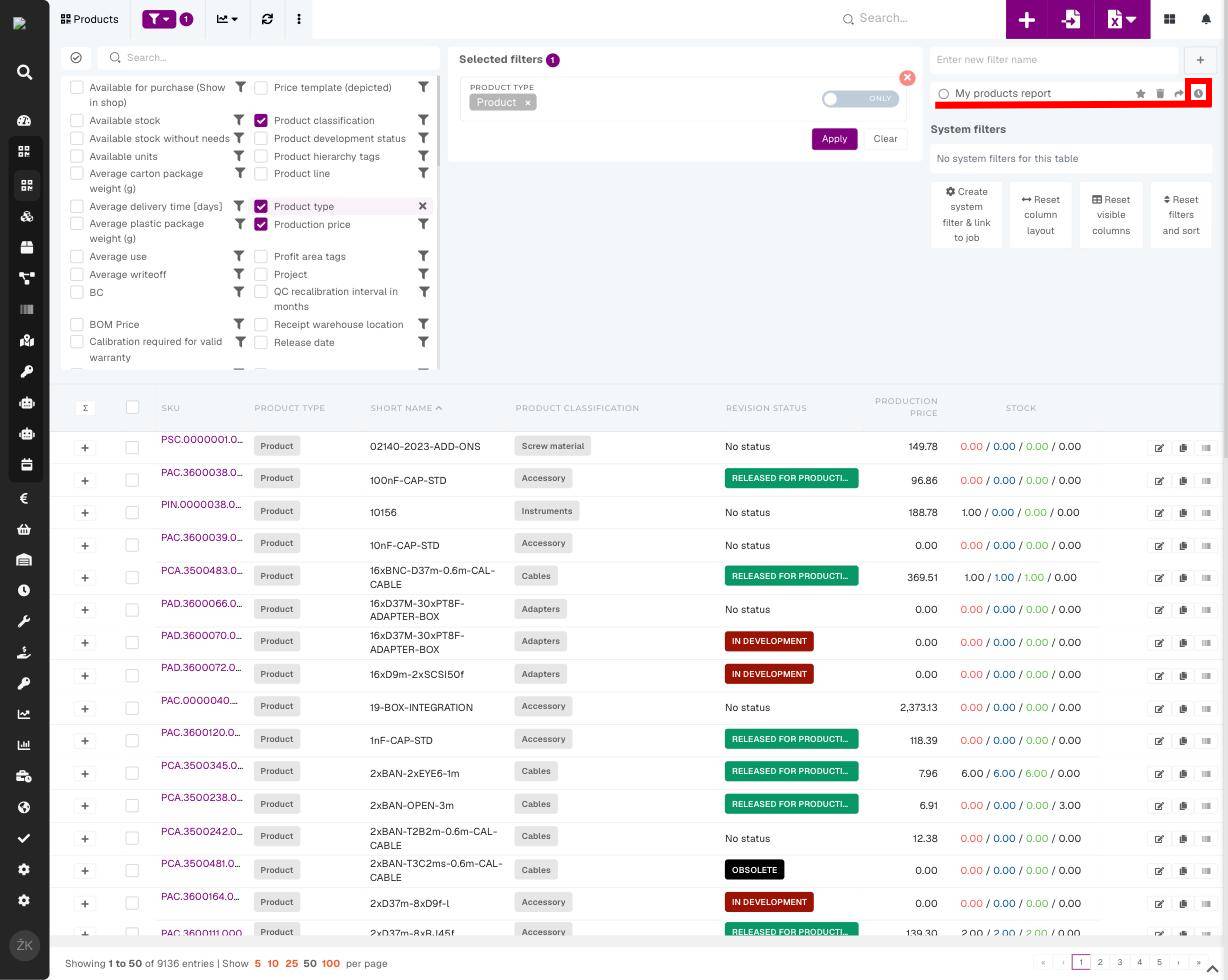 ## 2. Link it to the daily e-mail report 1. In the **Select scheduled job** dropdown, choose **“Send daily filtered email report”**. 2. Click **Link filter**. [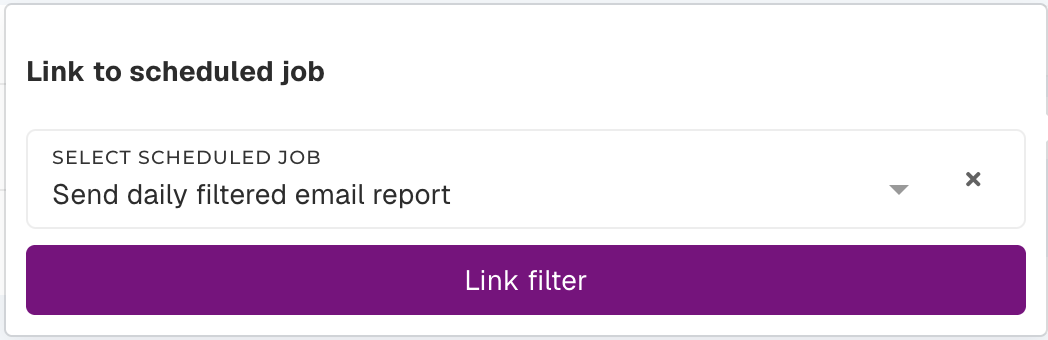](https://how-to-erp.dewesoft.com/uploads/images/gallery/2026-07/nqJimage.png)Done! A small badge on the filter shows it’s linked. From the next scheduled run you’ll receive a daily e-mail with the matching rows as a spreadsheet, sent to your own address.
## [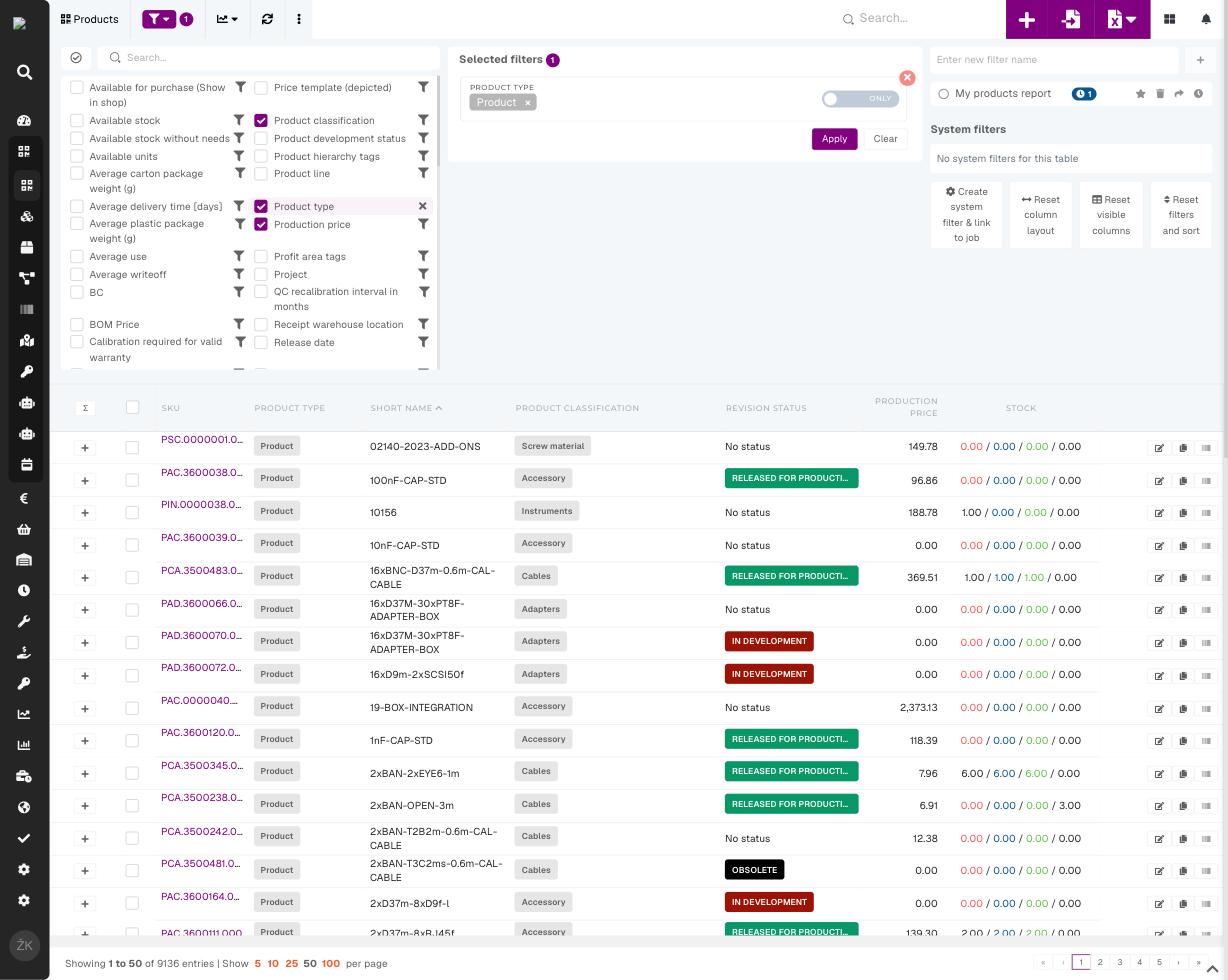](https://how-to-erp.dewesoft.com/uploads/images/gallery/2026-07/image-1784015706314.jpg) 3. Stop or manage a report Click the same **clock icon** again. Jobs the filter is linked to are listed under *“Already linked to”* — click **X** next to a job to stop that report. You can re-link it any time. [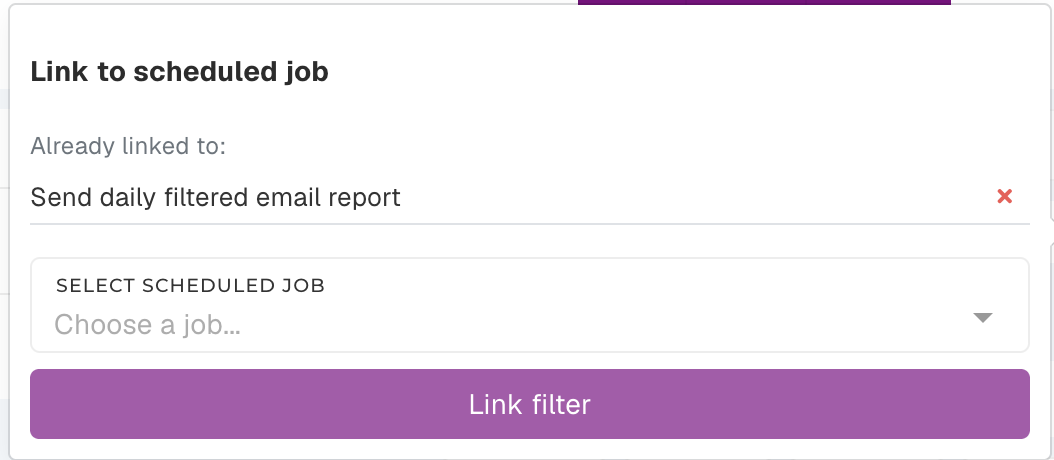](https://how-to-erp.dewesoft.com/uploads/images/gallery/2026-07/y9Jimage.png)**Good to know**
- The e-mail always reflects the filter’s **current** criteria and visible columns — edit the filter and the next report updates automatically. - The report is sent to **you**, and only includes rows you have permission to see. - Need a different frequency or recipient? Those are managed by an administrator.