This action requires the "**create price list**" permissions.
To create a new price list, navigate to the "create" form from the table by clicking the "**+**" or by going [**here.**](https://placeholder.erp/price-lists/create) 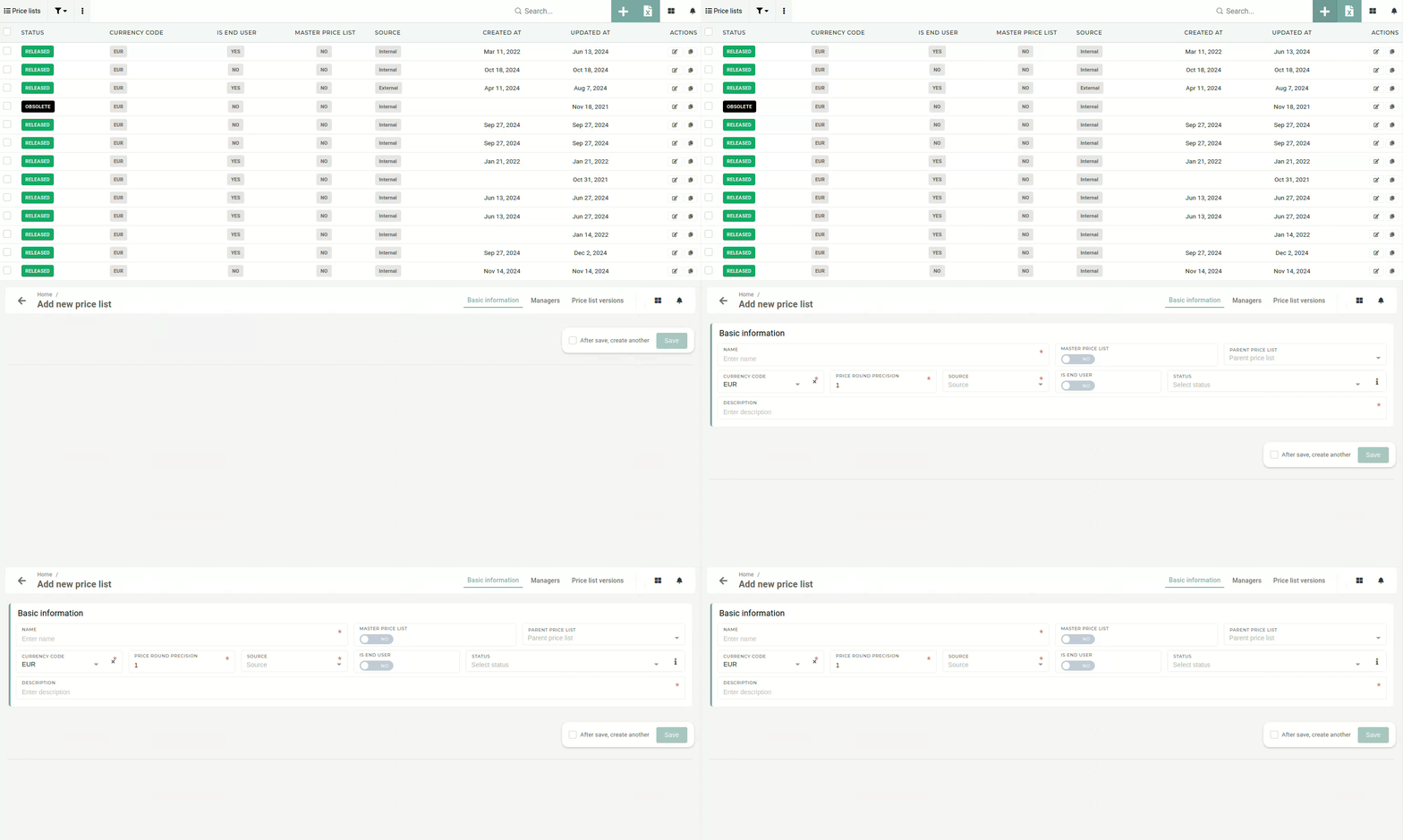 ##### Basic information To create a new price list, at least some basic information has to be entered (name, currency, decimal precision, source and description). 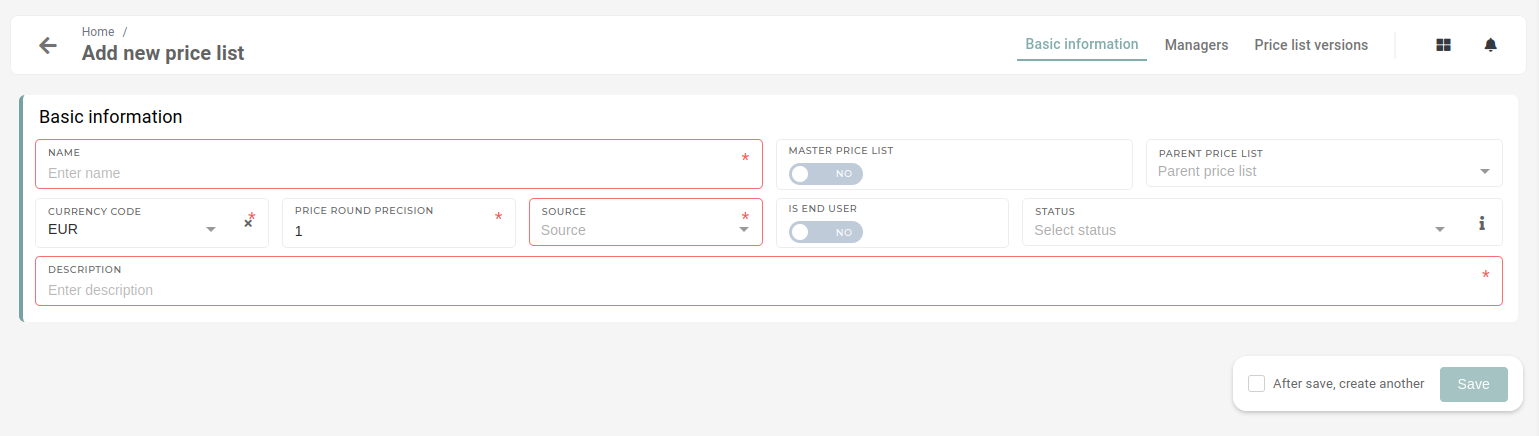 A price list's name must be entered. It is recommended that it is a unique one, to avoid any confusion. The **"Master price list"** switch determines, if the price list is a main or a **"master"** price list from which other price lists will be derived. If the new price list **is not a "master" price list,** then its parent needs to be selected in the **"Parent price list"** drop-down.  Every **price list is** **required** **to have a currency selected**. By default, **EUR** currency is selected. The "**Price** **round** **precisison**" defines to how many decimals all prices on the price list are rounded up to. By default, prices are rounded to 1 decimal.  With the price formatting set, the price list **source** should be selected. The source, in this case, means where the price list has been received from, either "**internal"** - from within the company or "**external"** - from an external source ( eg. a consultant).  The **"Is end user"** switch is used to determine, if orders, created with this price list will be calculated into employee salary rewards. The initial **status** of a price list is not among the necessary information. If not selected, a new price list will have the **"Released"** status set as default. The status can also be set as **"Obsolete",** in cases when old price lists are being entered into the system. A **description of a price list is necessary** to provide additional information about what the price list's purpose is, as names are not always descriptive enough. 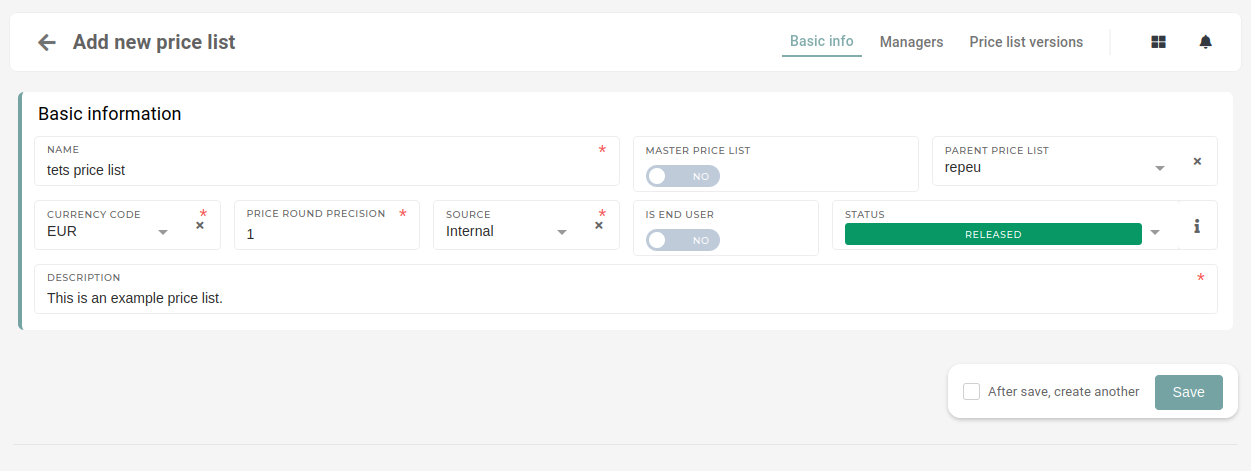 Once all the information has been entered, the price list can be saved. ##### Managers - ##### Price list versions After the new price list is created, you should open the "**price list versions**" tab and create the initial version of the new price list. here, click "new version". this opens a model, where new version is defined. 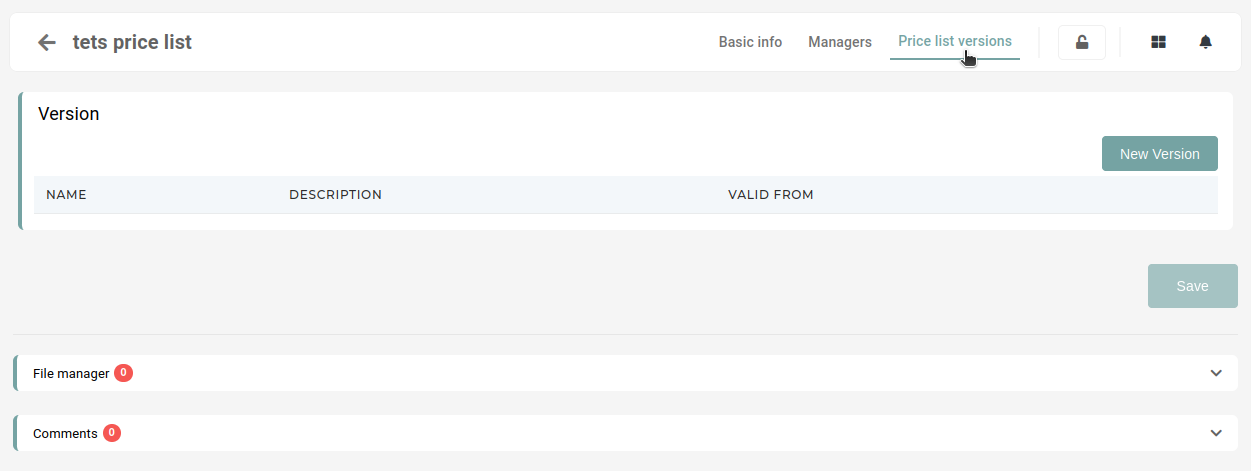 Name - price list version name (eg. END\_XXX\_2023) valid from - the start date of price list validity (is active from this date forwards) decription - a short description of price list version function.... currency rate - currency exchange rate (exchange to parent price list currency, eg. REPEU => EUR) parent price list version - the last version of the price list (eg. REPEU 2023) 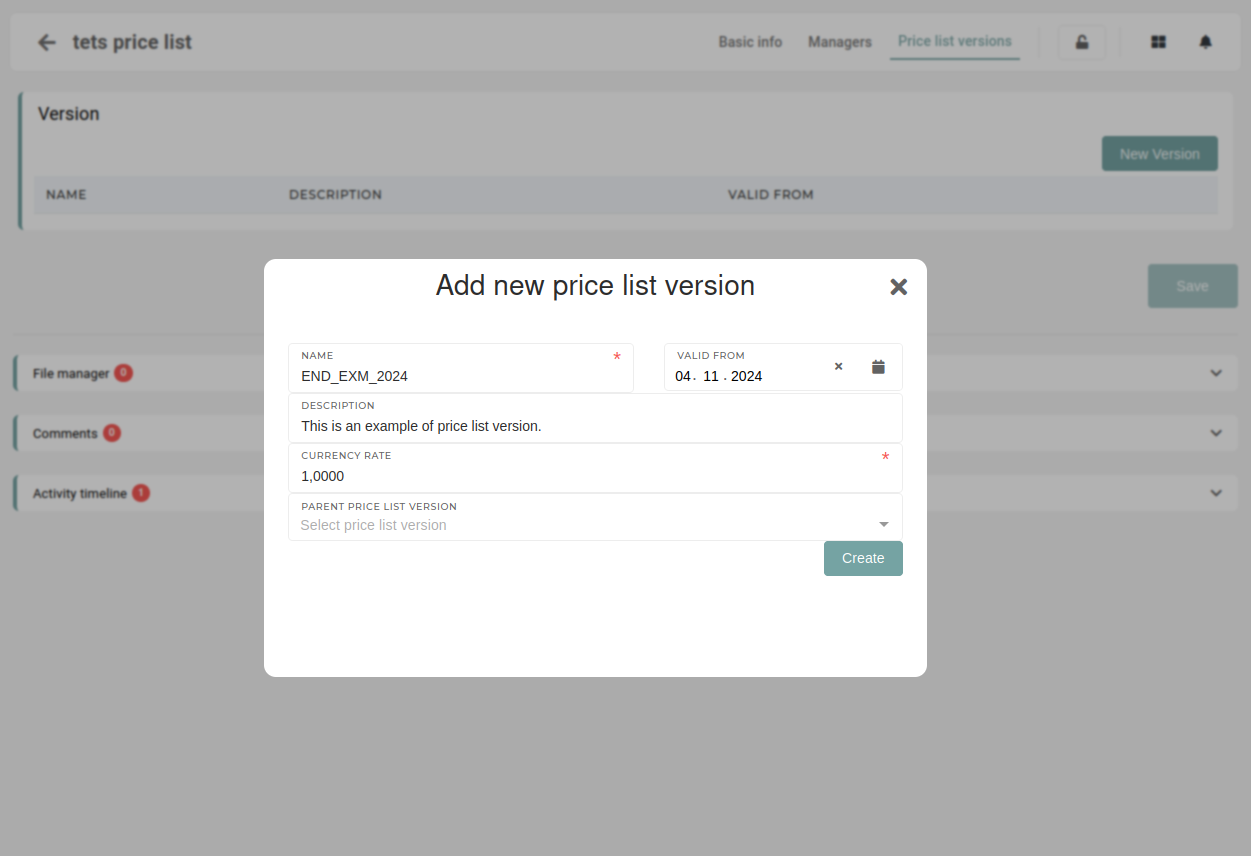 Before viewing the newly created price list version you have to add yourself and anyone else who can edit these price list version as the price list version manager on the "managers" tab and in price list manager (/price-list-versions) page . Once the managers have been assigned, open the pc version under "price list versions" tab. Once open, the "Generate tags" button must be pressed to generate appropriate tags for this price list version. 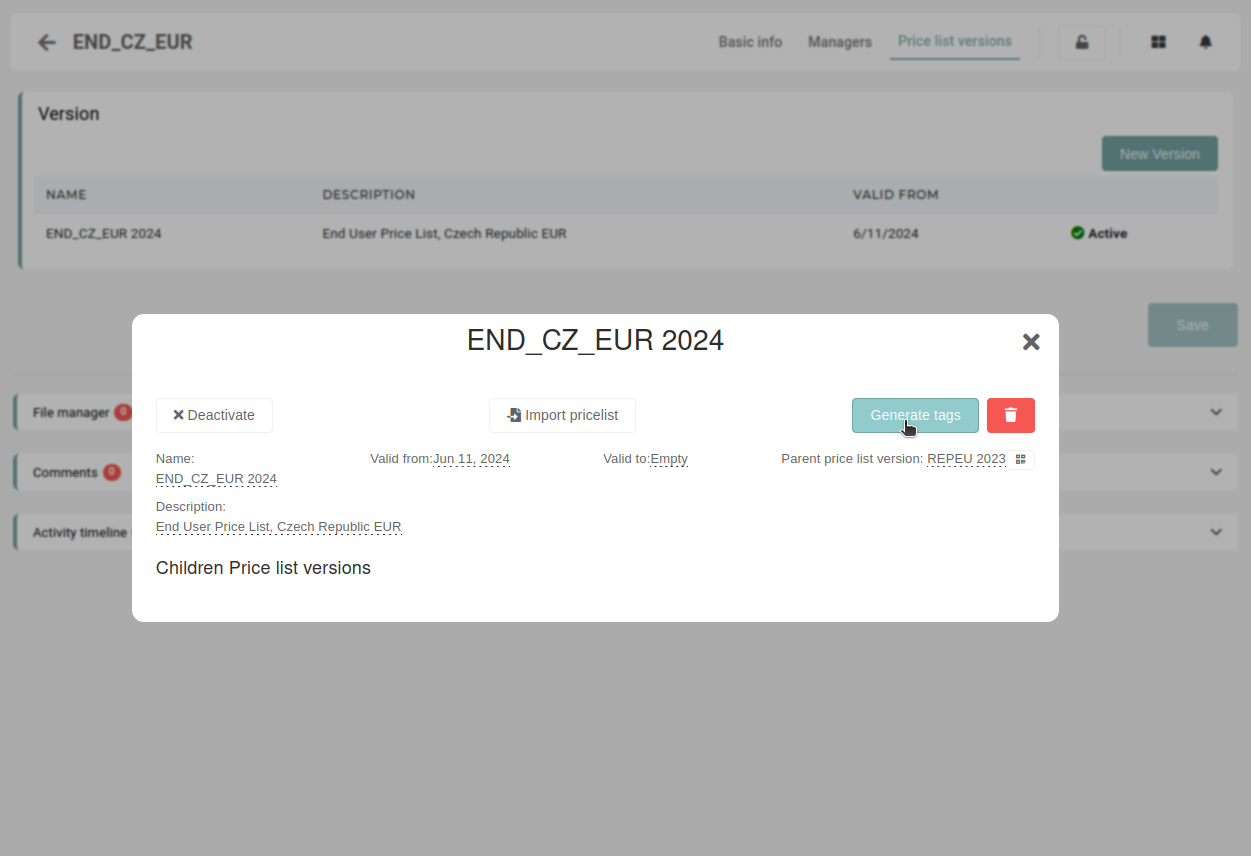These tags are used in the system to display the price list version within the price list manager,