This action requires the **"create products"** permission.
New products can be created from the **"Create new product"** form, that can be accessed [**here**](https://placeholder.erp/products/create), or by clicking the **"Add new"** button above the **[products](https://placeholder.erp/products)** table.  From the form, a new product can be created.To create a new product, at least a **product**'s **name**, **short** **name** and **SKU** are required.
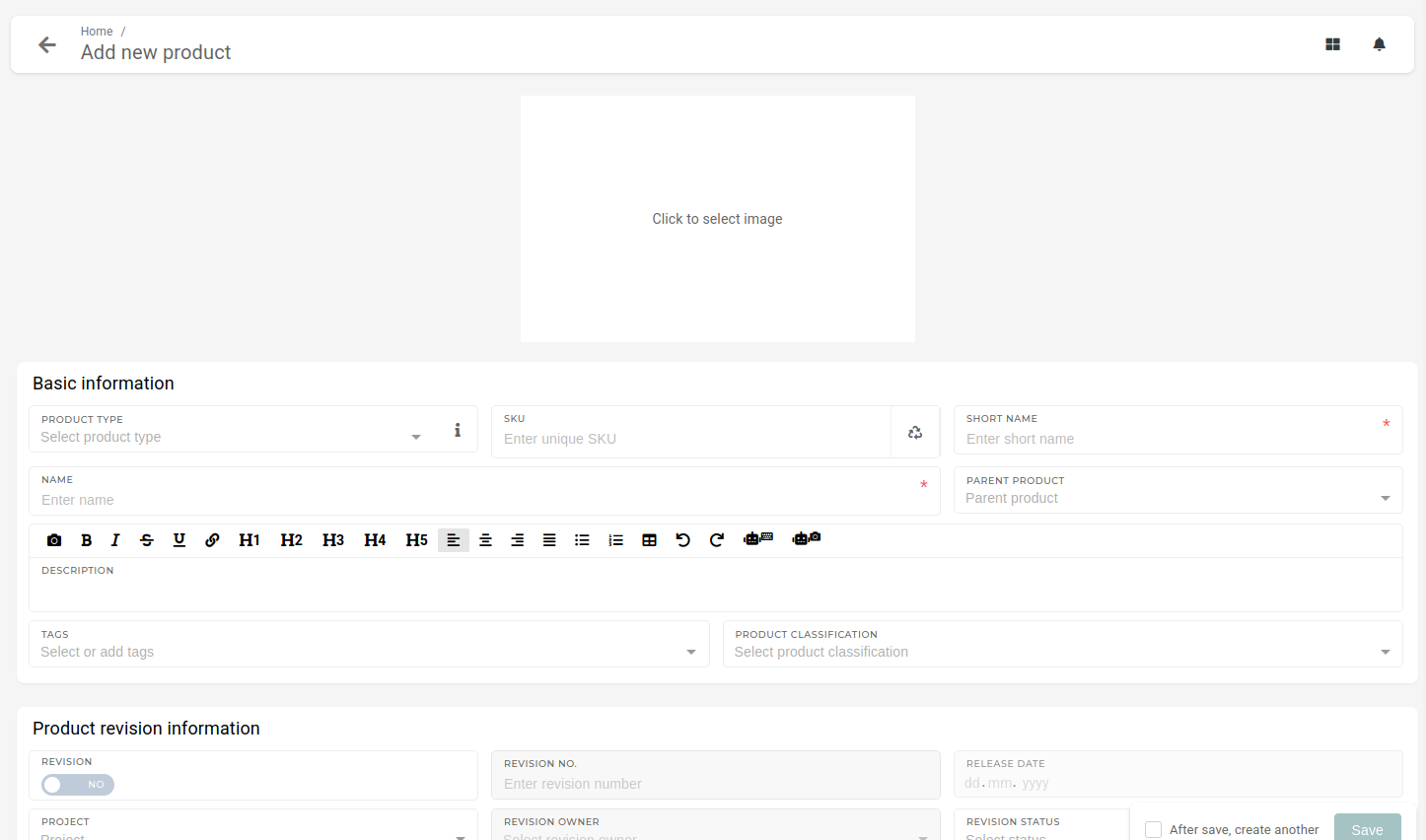To generate a correct SKU, product type and product classification should be entered (type and classification are used to determine SKU structure).
#### Making a product visible for adding in quotes/orders (local items) To make a product available for selection in quotes or orders, you first need to enable its availability for purchase using the toggle in the Price List Information section. [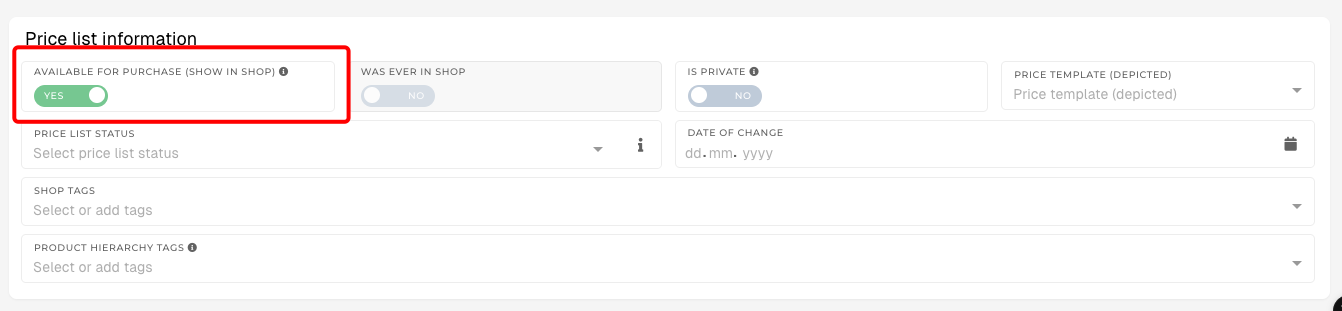](https://how-to-erp.dewesoft.com/uploads/images/gallery/2025-08/image.png)Next, in the Price List section, add the product to the specific price list you want. ##### Adding a Product to a Price List 1. Locate the desired price list – In the Price List section, find the price list you want to add the product to (e.g., END\_MENA 2025). 2. Add the product – Click the + Add button next to the price list name. 3. Set the price – Enter the desired price in the field (e.g., 471.00 €) or adjust an existing price. 4. Save changes – Ensure your changes are saved so the product becomes available in that price list. [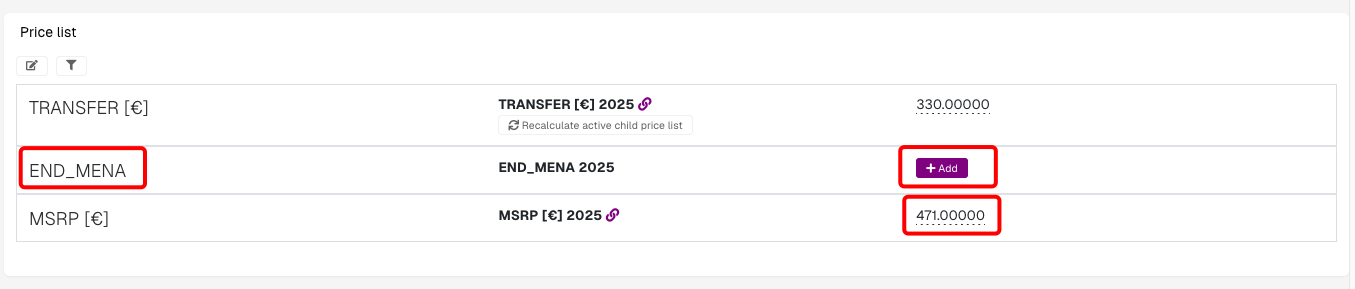](https://how-to-erp.dewesoft.com/uploads/images/gallery/2025-08/W1Gimage.png) Once completed, the product will be visible in quotes and orders (if it is also marked as available for purchase in Price List Information).