This action requires the **"View serials", "View lots"** and **"View stock transactions"** permissions.
A serial's stock source needs to be identified for a variety of stock operations.**Serial's stock source** usually refers to **Goods receipts, Goods rebooks** or **Stock adjustments...**
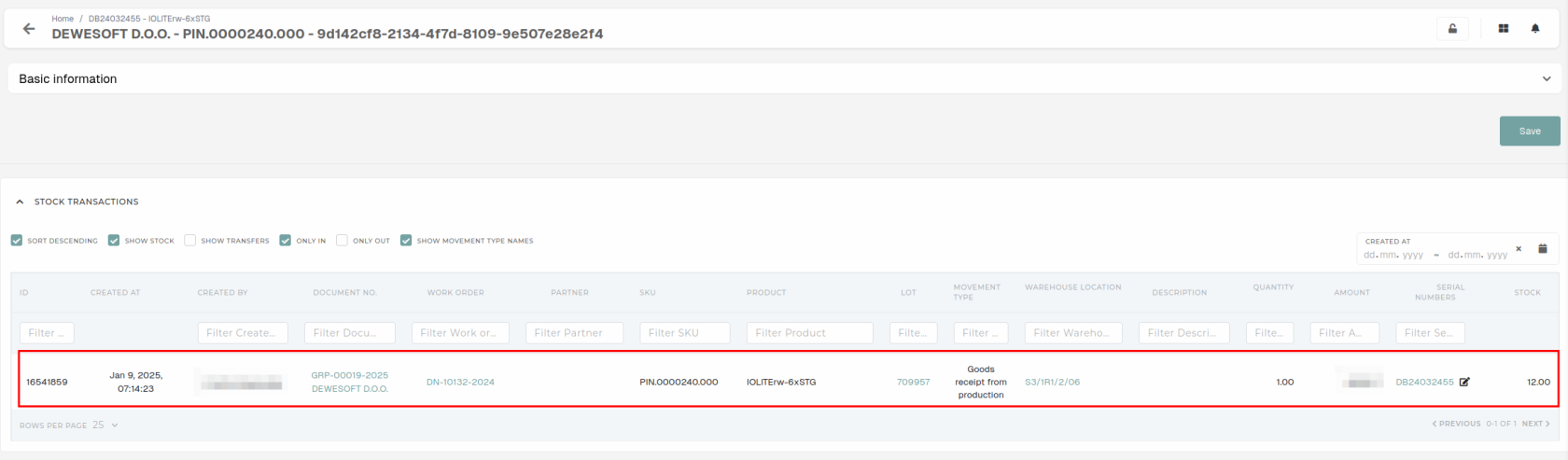
To find a serial's stock source, open the serial's details page and find its **"Lot"** field. Click the link icon, this will redirect you to Lot's details page. 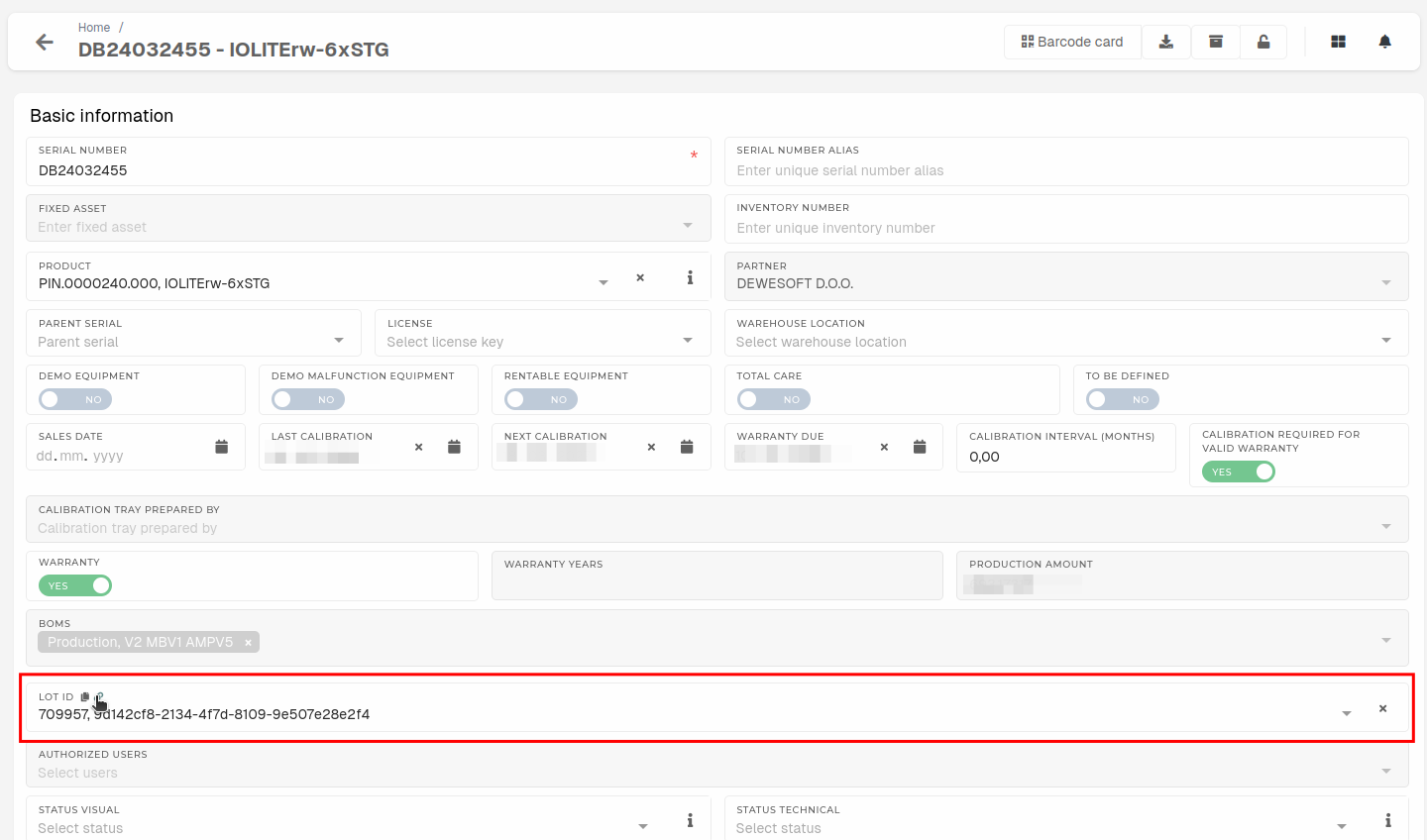 On the lot's details page, open the **"Stock transactions"** section, this will load all transactions of this lot. Scroll to the first stock transaction.It is recommended to check the **"Only In"** checkbox and view transactions by their names to find the right goods receipt/rebook or stock adjustments. The stock transaction usually has a link to the stock document in the **"****Document no.****"** column.