This action requires the **"create goods receipt"** permissions.
New goods receipts are not created with a "create" form. Instead, creation of goods receipts is done from the work order's details page. To create a goods receipt, open a work order's page and look for a list of work order's items. 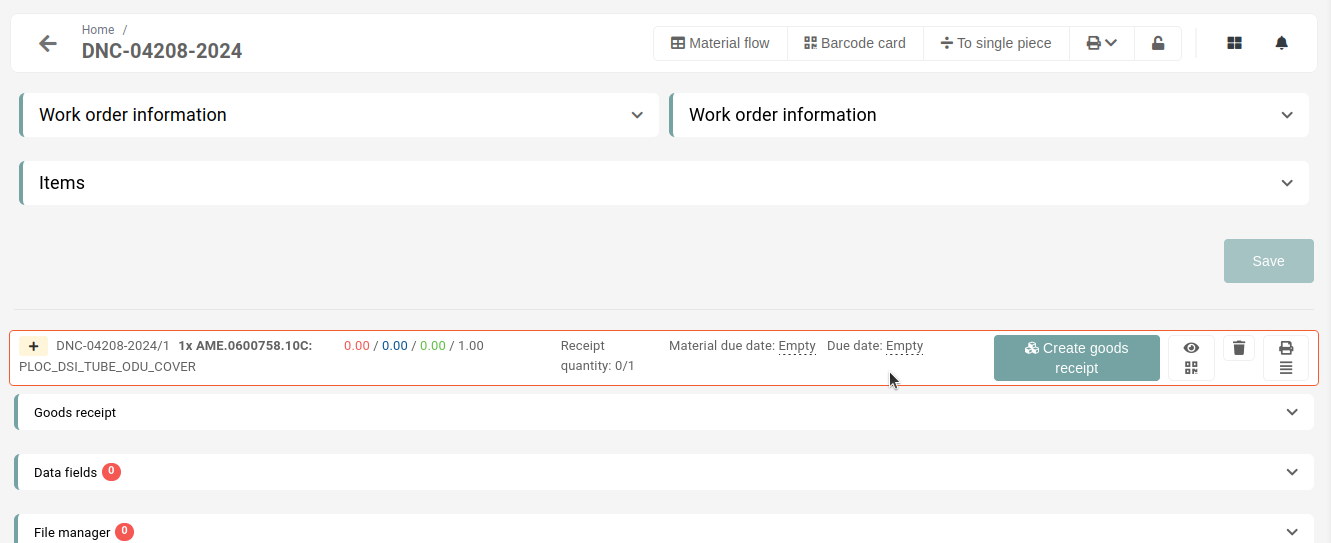Only items of **production, CNC or development work orders** can be received.
All items that can be received will have a button labeled as **"Create goods receipt**" present on the right side. 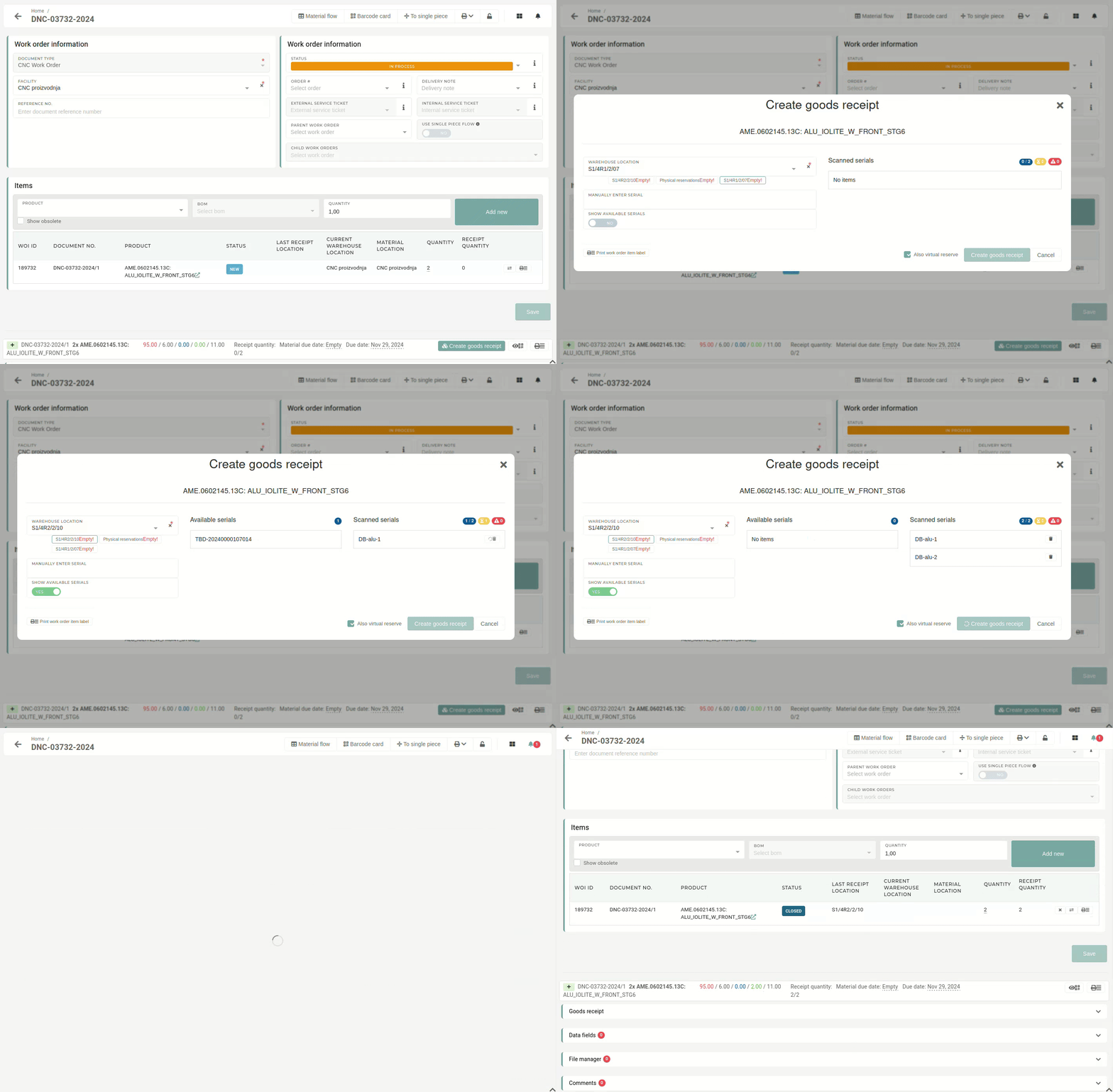 Clicking the button opens a form, where serials have to be entered, if the product's stock is tracked by serials. With the serials added and a warehouse location to receive the stock to, selected, a goods receipt can be created.If there is no more material/products to receive after the goods receipt is created, the work order will automatically be set as "**Closed**".
To view the newly created goods receipt, open work order's **"Goods receipts"** section, all goods receipts of this work order will be listed there. 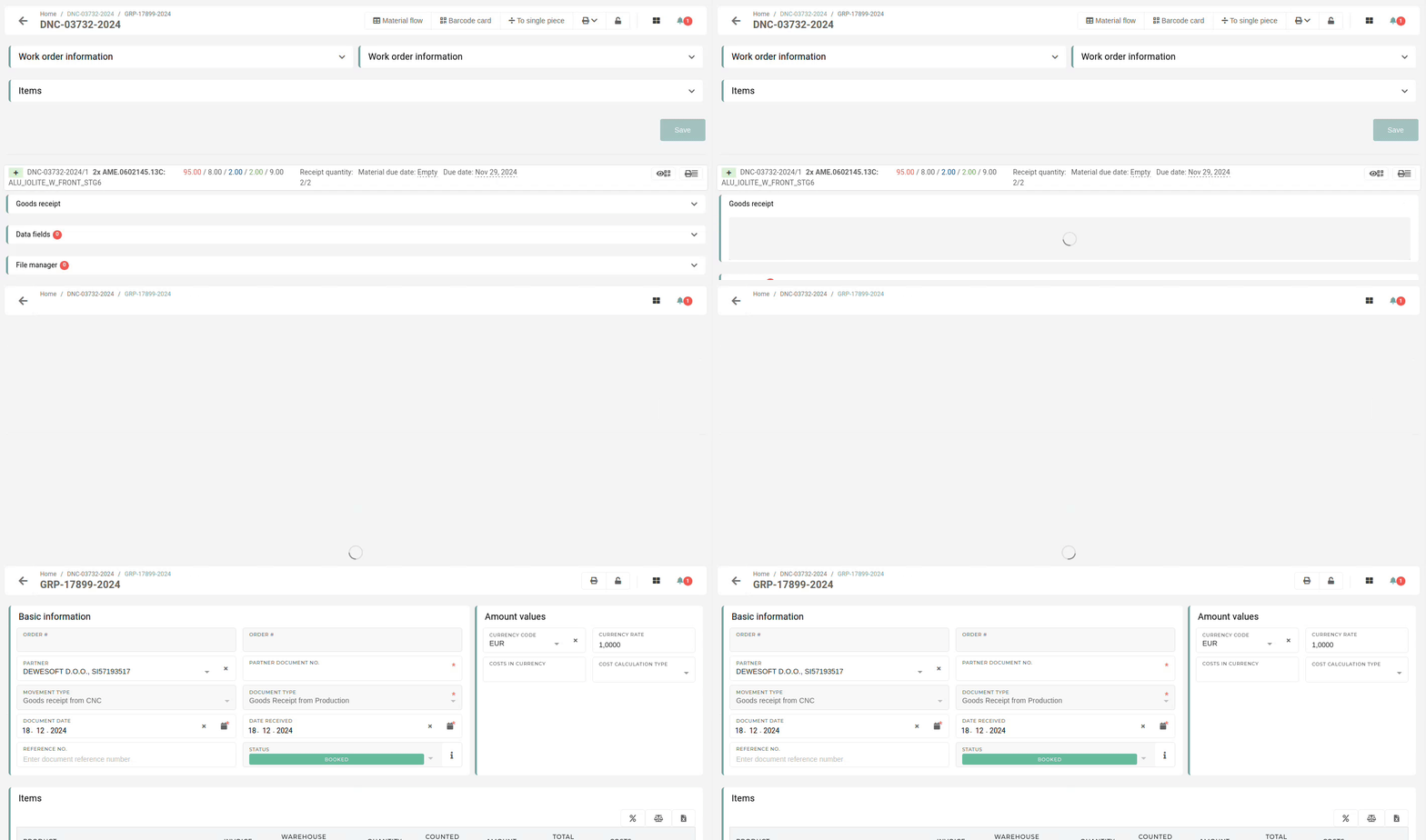If there was a problem with creating the goods receipt, it will have the **"Failed"** status. More information about the failure can be found in the **"Error information"** section.