This action requires the **"create purchase orders"** permission.
A new purchase order can be created with the **"create new"** form, located above the **purchase** **orders** table, found under "**purchases**" or [**here**](https://placeholder.erp/orders-purchase-signers/create). 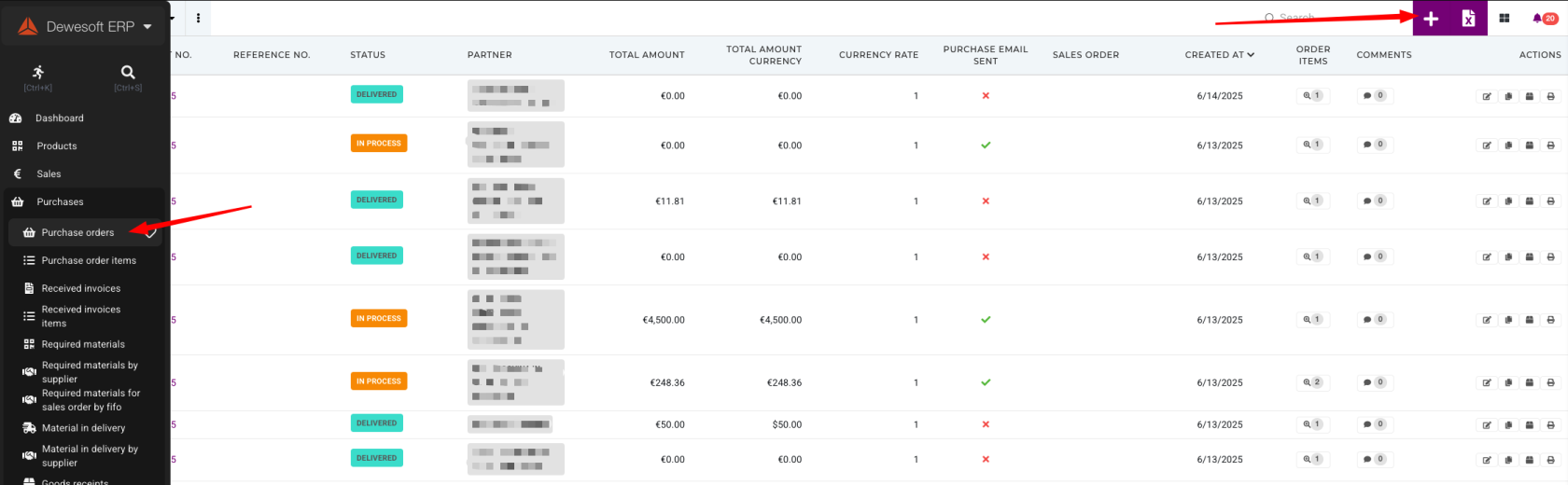When creating a new purchase order, at least the **partner (supplier)** and **currency code** need to be selected, **initially**.
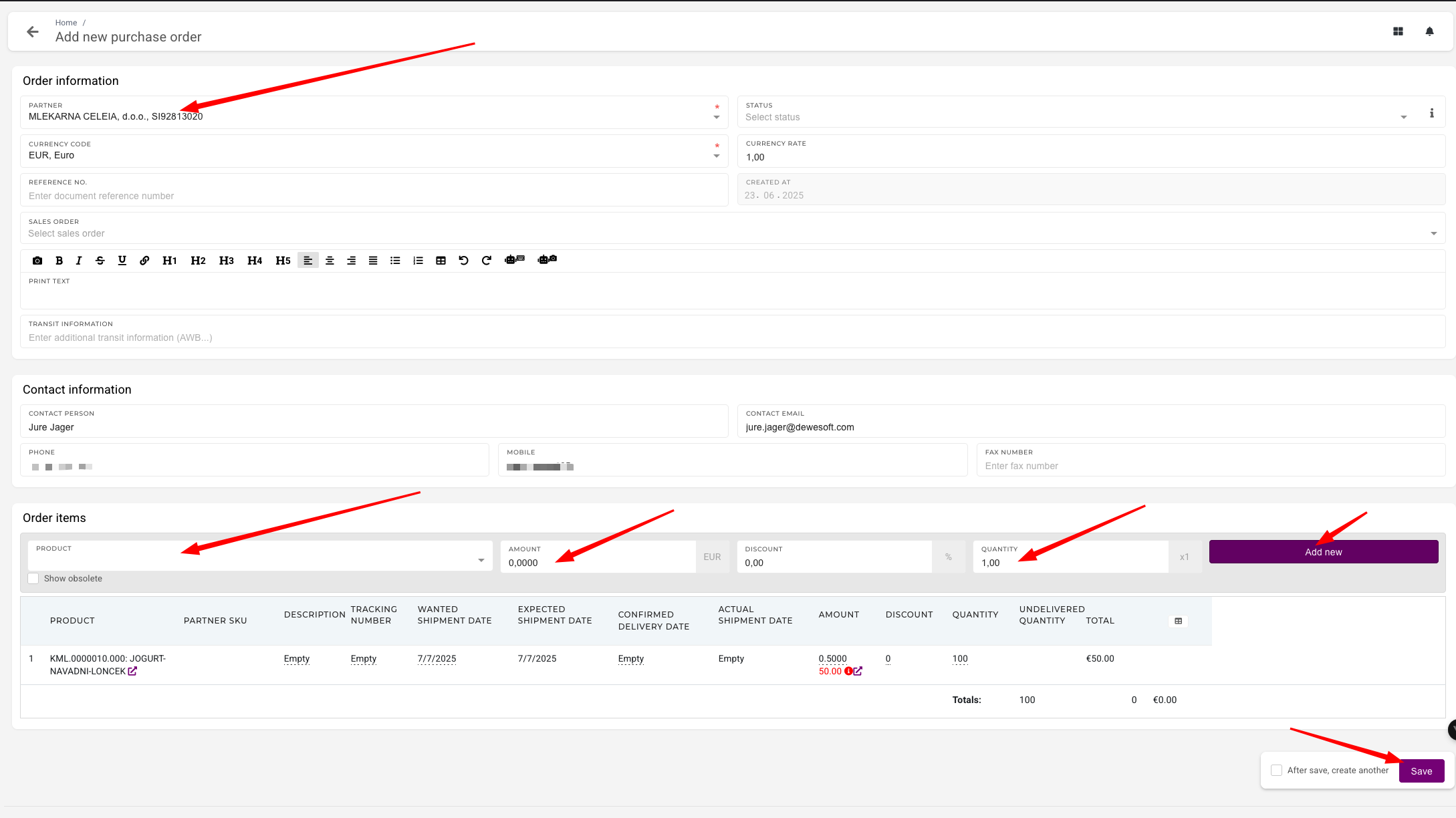 Items that will be purchased with this order can be added under **"Order items"** section. 1. **Product**: Select the product that will be purchased with this order 2. **Amount**: Enter how much of selected product will be purchased 3. **Quantity**: Enter the quantity of the product to purchase. 4. Click "**Add** **new**" to add the new item to purchase order. 5. Repeat if needed.Once all order items are added, the purchase order can be saved.