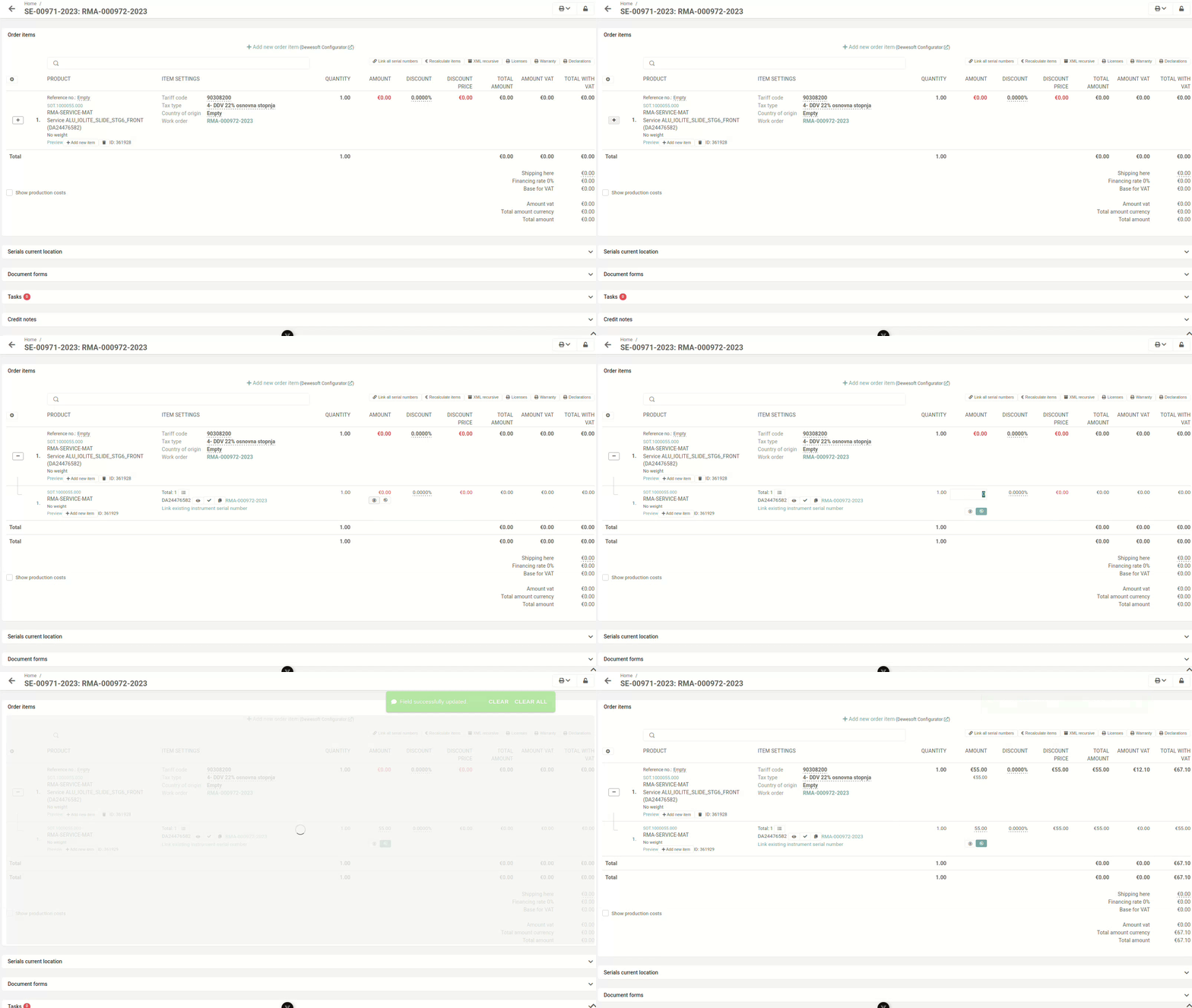
This action requires the "**Update order sale items**" permission.
Prices on sales orders can be updated directly on items. If price lists are set up, prices can be automatically added from there.Prices can be **only** **set** **on** **child** item. Price is then propagated to parent items.
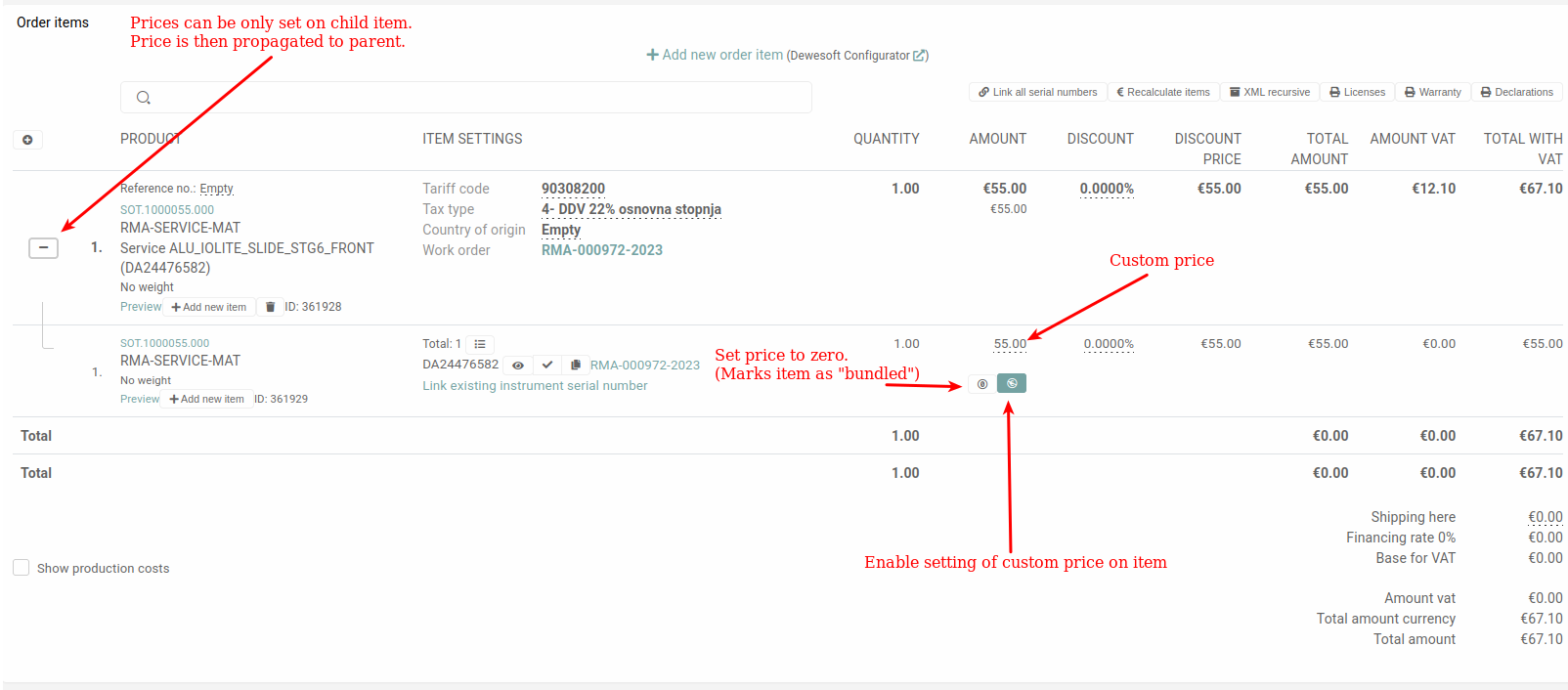You can **set item price to 0.** This should only be done for **included** **items**. These **will** then **be** **marked** **as** **"bundled"**.
*There is also additional button if you have price lists setup* To change the price of a sale order item, go to **"Order items"** section and press the **"+"** button on the item you want to change. Click the "**+**" to open a section under the item, that lists all parts of the order item (sub-items, associated serials, licenses...). 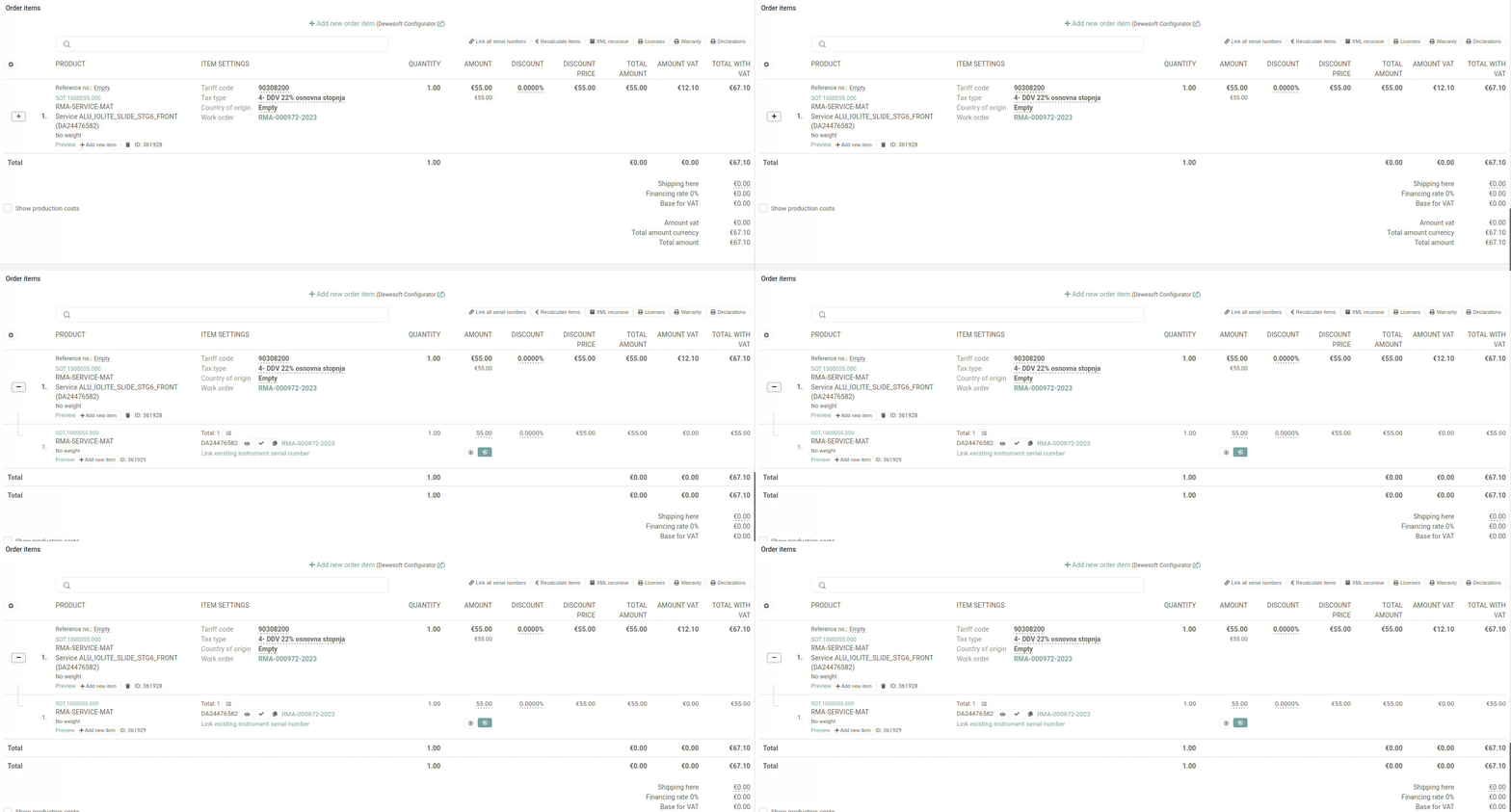 Here, changing the price of the item will update the actual price of the item, and of the order as a whole.