**TIP:** Permissions can be assigned onto roles or onto users directly, although this is discouraged, as roles provide easier trackability of what user has what permissions..
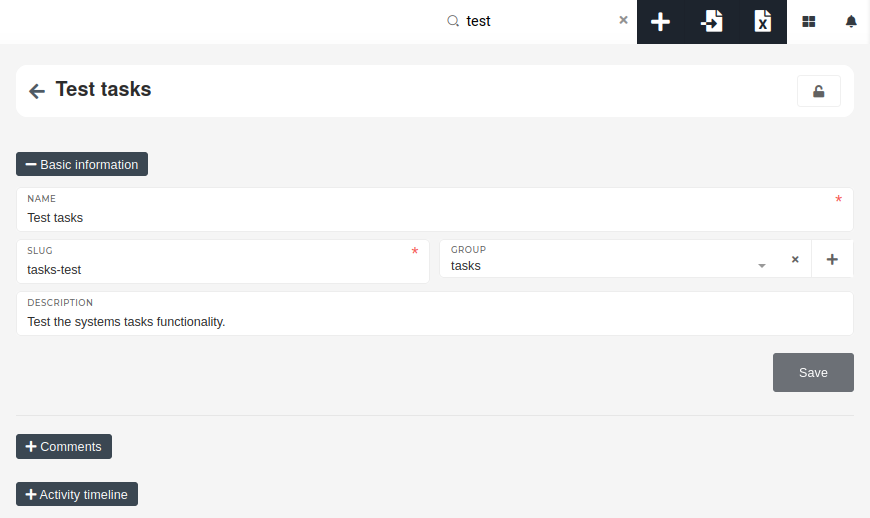
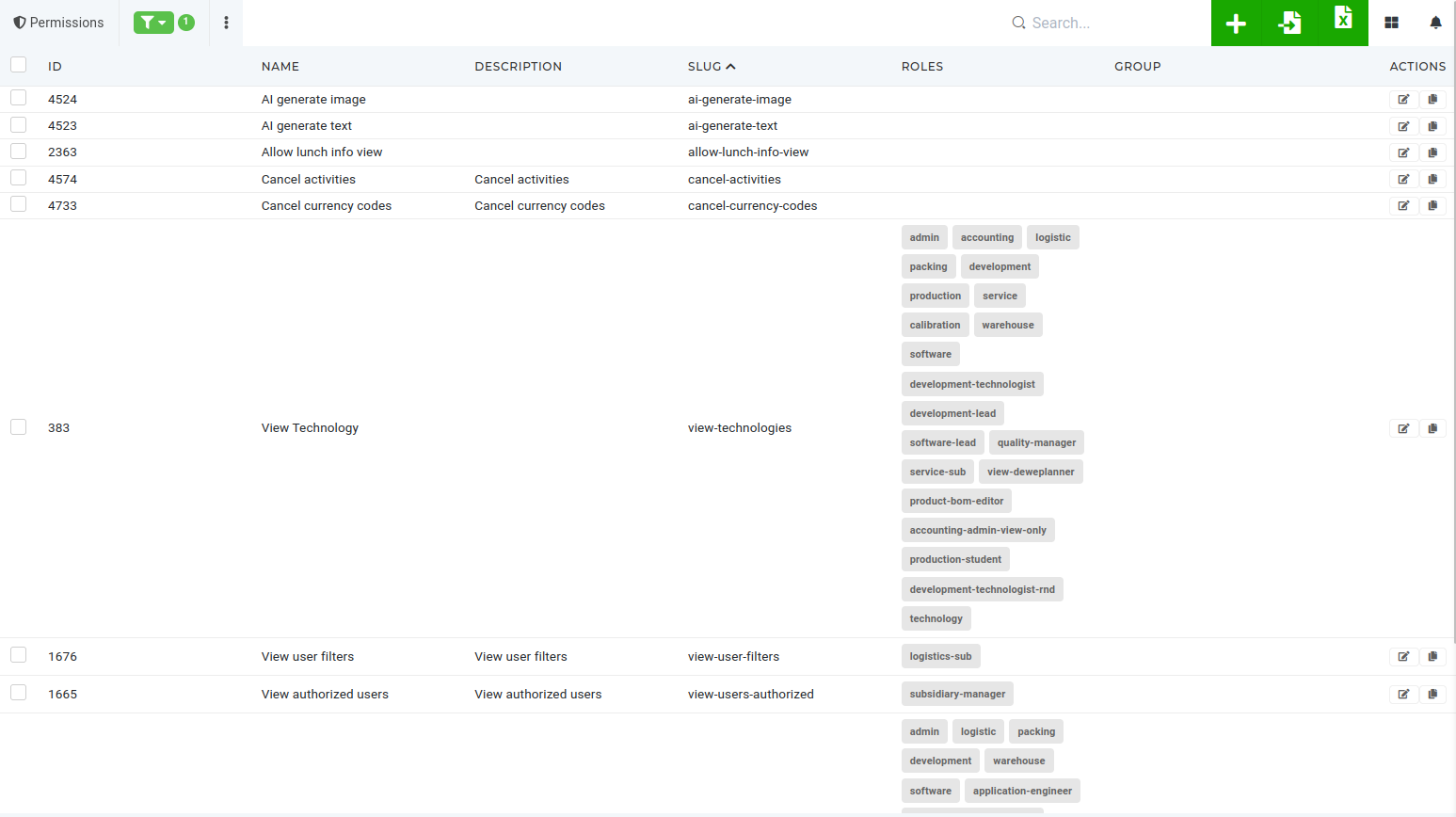 š # Create a new permission To create a new permission, navigate to the "Add new authorization permission" form by clicking the "+" button in the top right above the table or by visiting the "[Add new permission form](https://placeholder.erp/permissions/create)" directly. [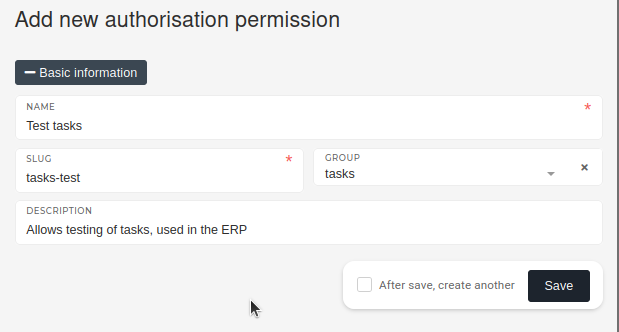](https://how-to-erp.dewesoft.com/uploads/images/gallery/2024-06/aCjimage.png) When creating a new permission, a unique name is required, alongside a corresponding permission slug. The slug is how the permission will be called during checks. [](https://how-to-erp.dewesoft.com/uploads/images/gallery/2024-05/yr7image.png) Defining the group that the permission belongs to, is not necessary but is encouraged, as it makes it easier to find the new permission while searching for it.**TIP:** Description is not strictly required, but should be added when possible, to describe what the permission is used for.
# Update an existing permissionPermissions should be updated only be people, who know their purpose, as permissions are used to grant access to a parts of the ERP .
To edit an existing permission, find it in the permissions table and click on its **"Edit"** button. [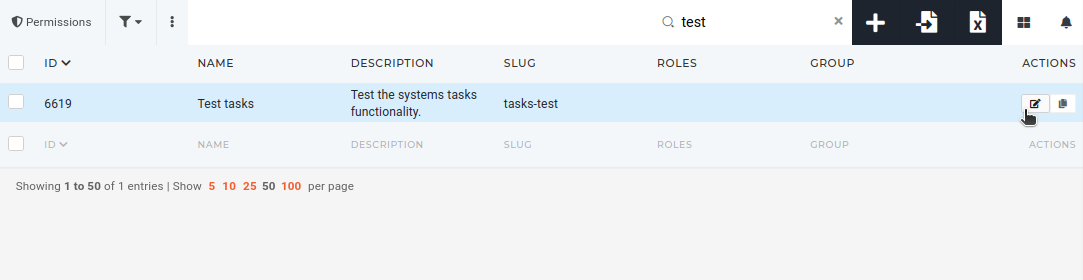](https://how-to-erp.dewesoft.com/uploads/images/gallery/2024-06/yxdimage.png) On the permission's page, you can update its name, description and group, that's used to show grouped permissions in permissions section on user and role page.It is not recommended to update a permission's slug, as it may be used for programmatic access control.
 # Delete permission(s)Permissions should only be deleted by people, who understand their purpose and know the permission's uses.
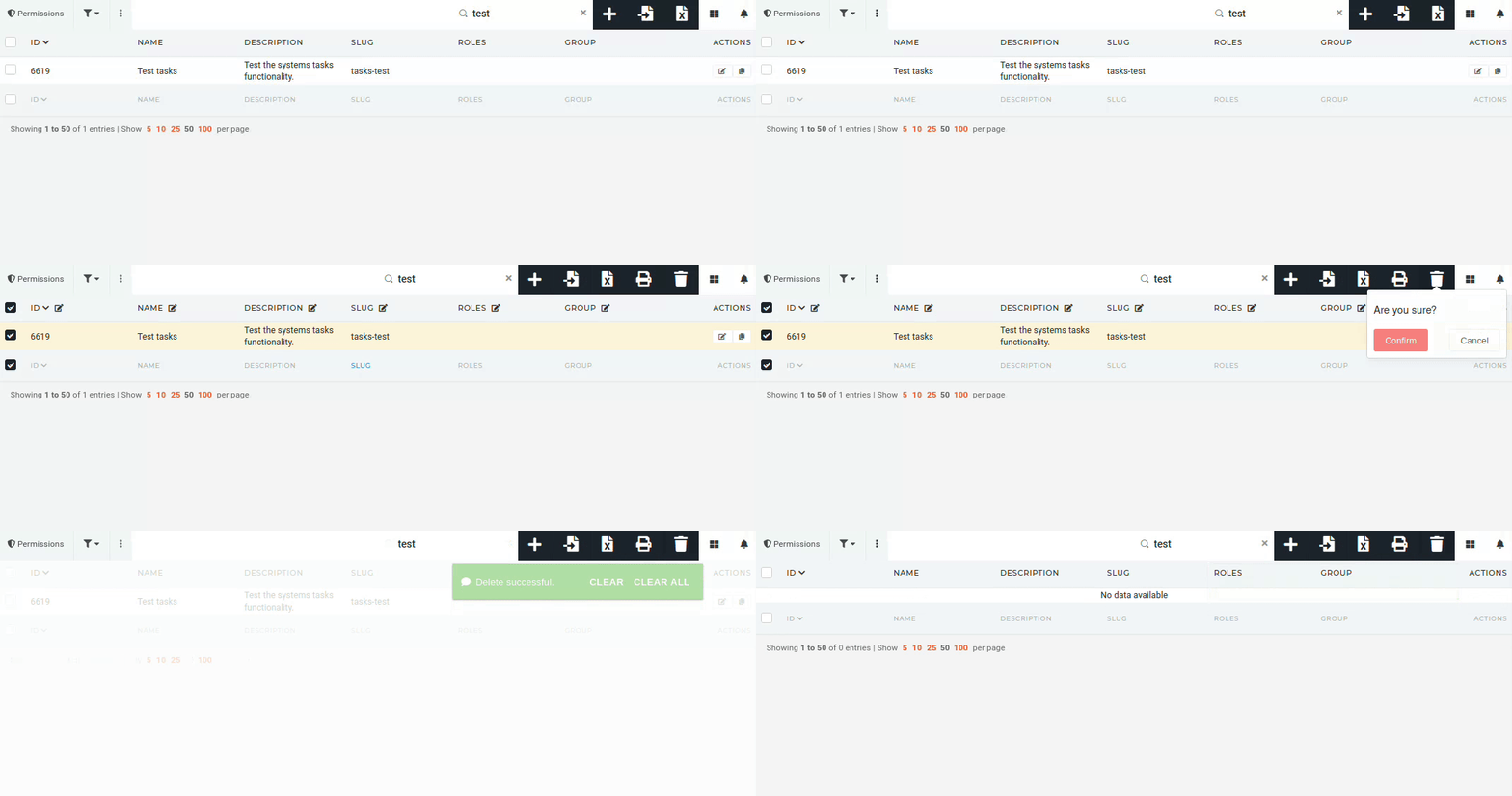
To delete a permission, find it in the "[Permissions](https://placeholder.erp/permissions)" table and tick its checkbox. Then click and confirm the **"Trash"** button, that appears above the table.