Work locations are used within the system to handle attendance and connect employees to their job site through HR profiles. Work locations are also used in calculation of employee's driving expenses.
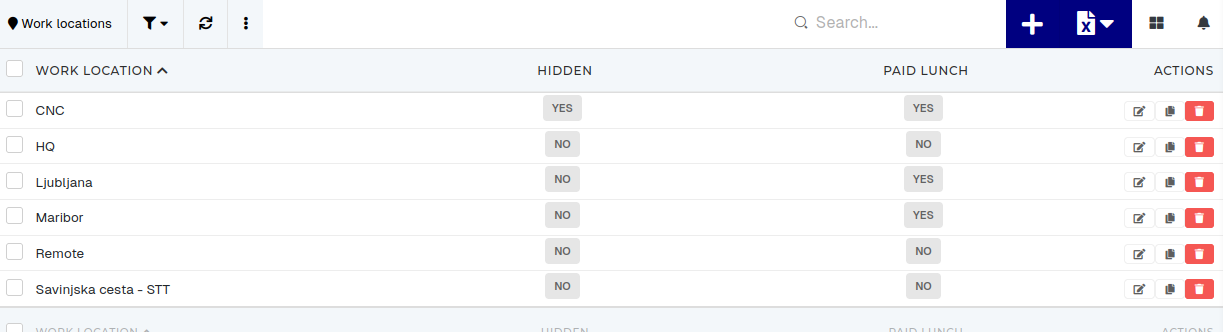 # Create new work locationThis action requires the "**Create work location**" permission.
To create a new work location, click the "+" button, this will redirect you to the ["**Create new work location**" form](https://placeholder.erp/work-locations/create). 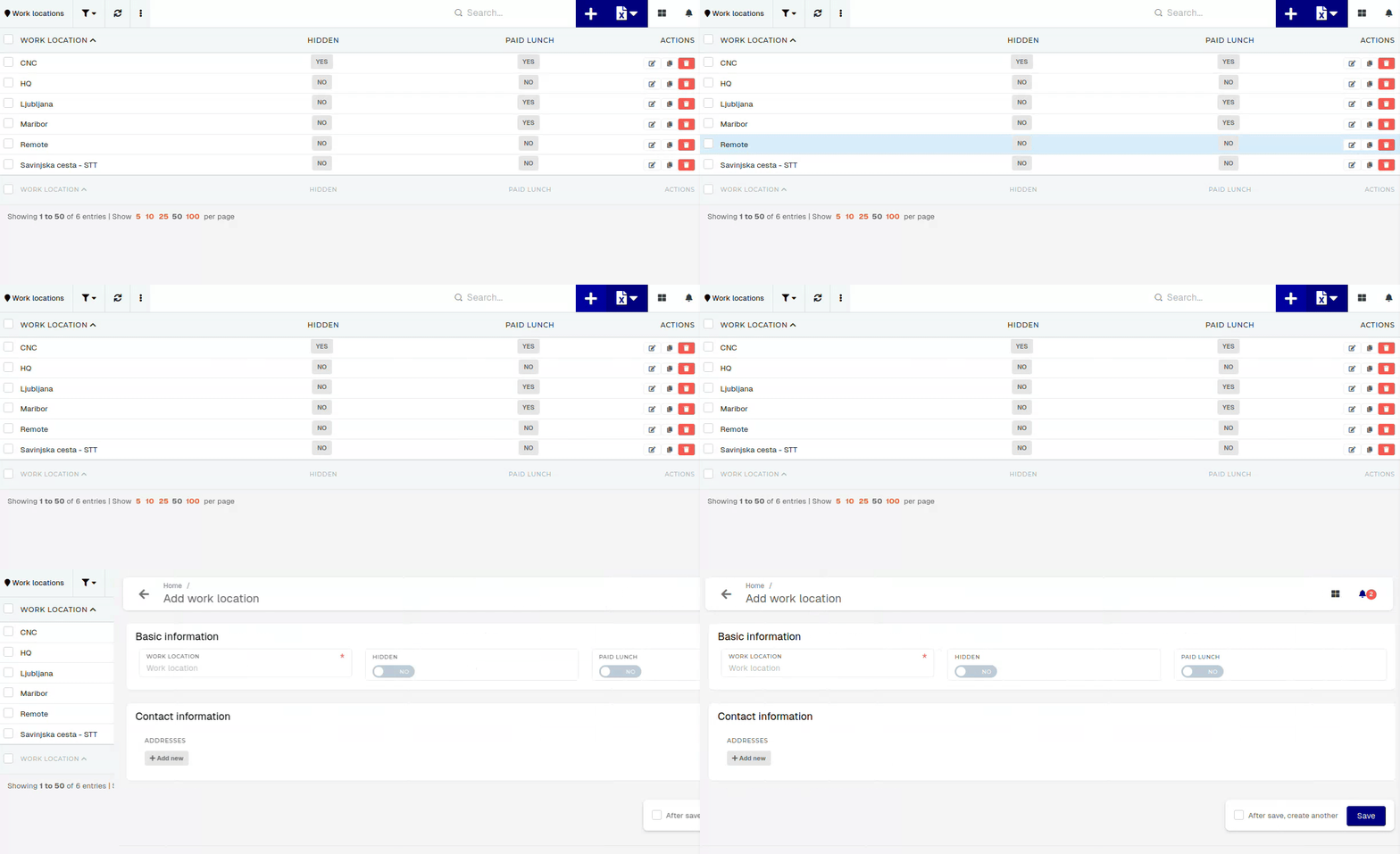 To create a new work location, at least its name needs to be inputted. Contact information (address) should be added after work location is already created. # Update existing work locationThis action requires the "**Update work locations**" permission.
Updating a work locations name will not cause any issues, as long as the name is unique. Settings a work location as "hidden", however, will have more of an impact, as this setting determines, if an employee can use the work location in a request for work on location. Updating "paid lunch" determines, if employees, who work on the work location, receive paid lunch or not. #### Basic information  - **Work location** - The name of the work location. - The name should be unique, to differentiate between different work locations. - **Hidden** - If this switch is enabled, the work location is hidden. - Hidden work locations cannot be selected during submission of **"Work on location"** attendance requests. - **Paid lunch** - If this switch is enabled, the work location will be marked as "Location with paid lunch". - If enabled, employees that work on that location, automatically receive paid lunch for every workday. #### Contact information The contact information section contains one or more addresses, linked to that work location.There should, in the context of work locations, only be one address, as work locations are usually linked to a specific location.
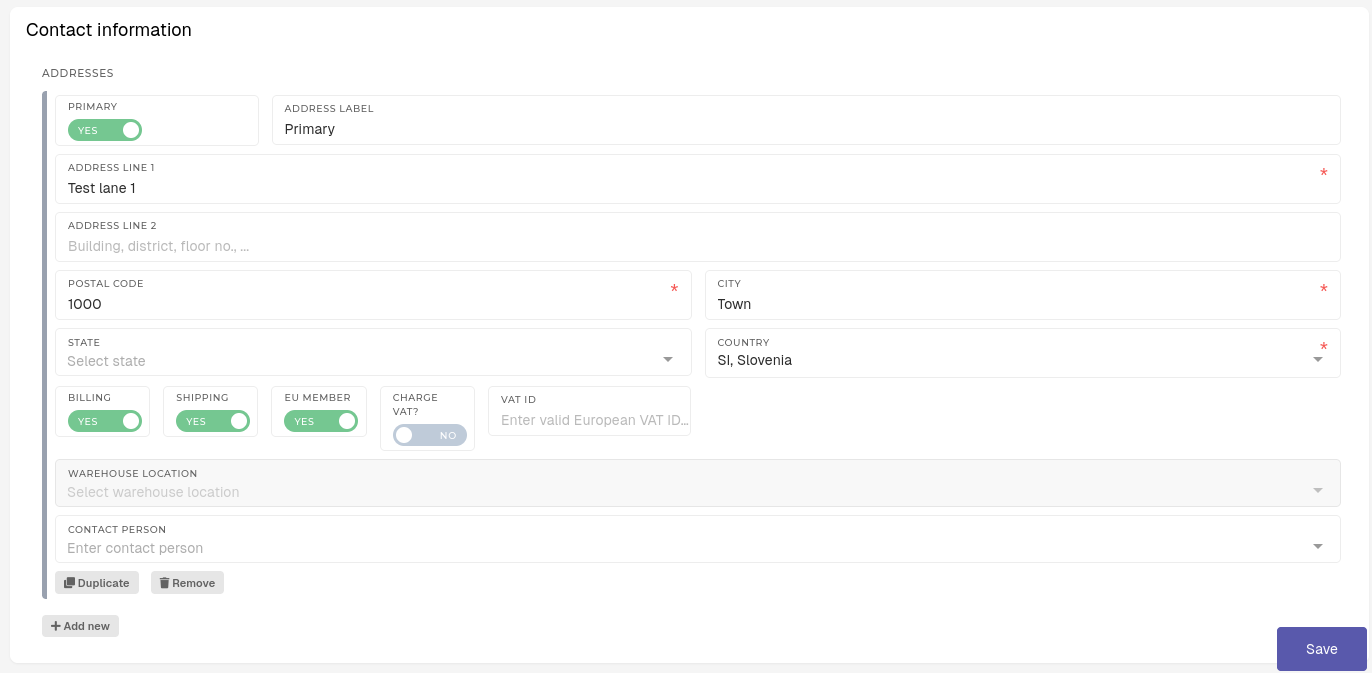 For the work location addresses, the following fields are important: - **Primary** - This switch marks the address as primary address for the work location. - Only one address should be set as primary at any given time. - **Address label** - A custom label for the address. - Useful for finding a specific address, where multiple addresses exist. - **Address Line 1** - The first line of the address. - **Address Line** **2** - The second line of the address. - Is optional, if needed. - **Postal code** - The postal code of address's city. - **City** - The city, where the address is located. - **State** - The state of the address's country. - Is optional, if needed. - **Country** - The country of the address. # Delete work locationThis action requires the **"Delete work locations"** permission.
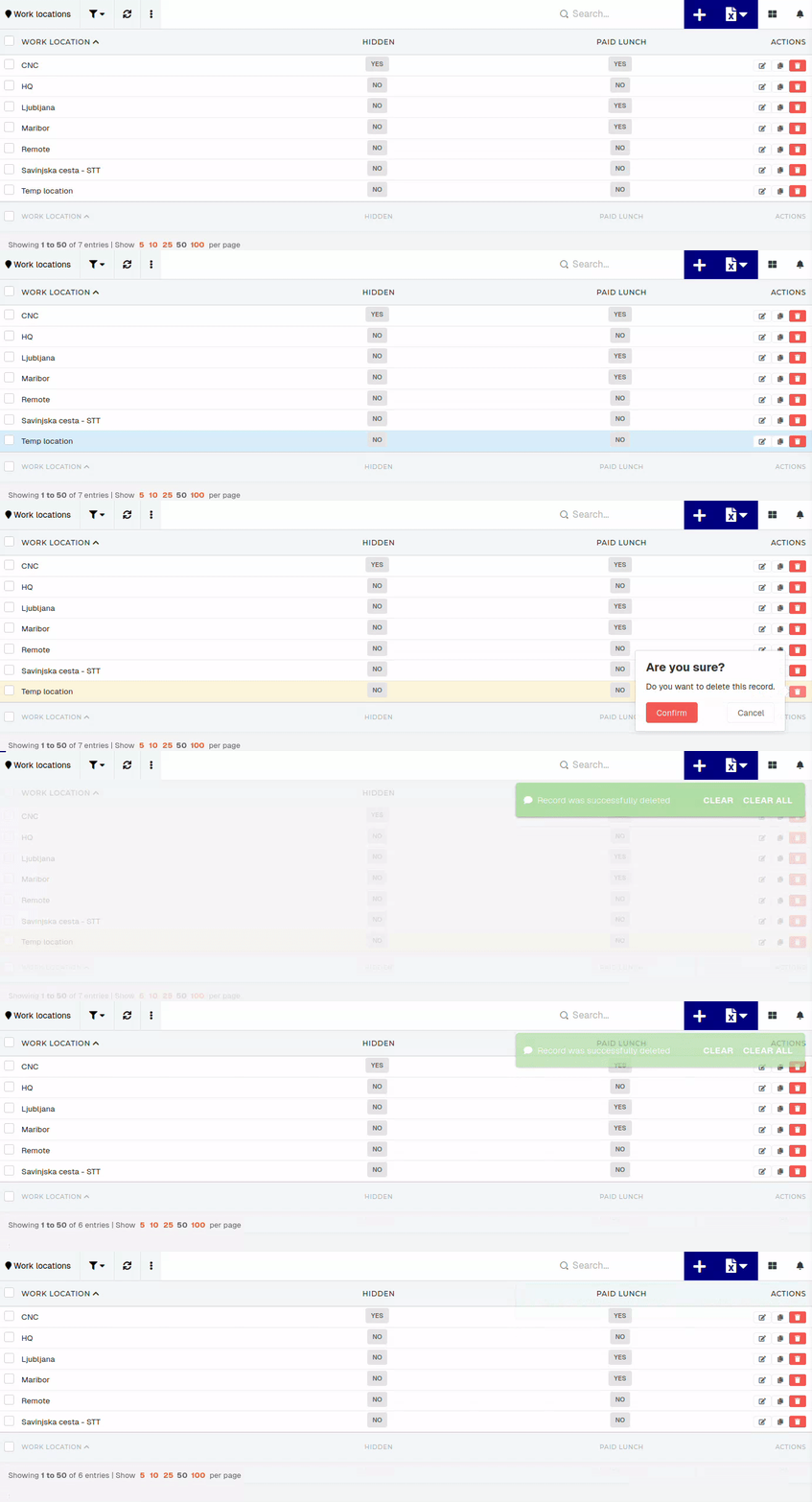
To delete a work location, click the "**Trash**" button on the right end of the row. After confirming, the work location will be deleted.Keep in mind, that deletion of a work location is not blocked by the work location being assigned to employees.
[](https://how-to-erp.dewesoft.com/uploads/images/gallery/2026-02/K34output.gif)