This action requires the "**Update work locations**" permission.
Updating a work locations name will not cause any issues, as long as the name is unique. Settings a work location as "hidden", however, will have more of an impact, as this setting determines, if an employee can use the work location in a request for work on location. Updating "paid lunch" determines, if employees, who work on the work location, receive paid lunch or not. #### Basic information  - **Work location** - The name of the work location. - The name should be unique, to differentiate between different work locations. - **Hidden** - If this switch is enabled, the work location is hidden. - Hidden work locations cannot be selected during submission of **"Work on location"** attendance requests. - **Paid lunch** - If this switch is enabled, the work location will be marked as "Location with paid lunch". - If enabled, employees that work on that location, automatically receive paid lunch for every workday. #### Contact information The contact information section contains one or more addresses, linked to that work location.There should, in the context of work locations, only be one address, as work locations are usually linked to a specific location.
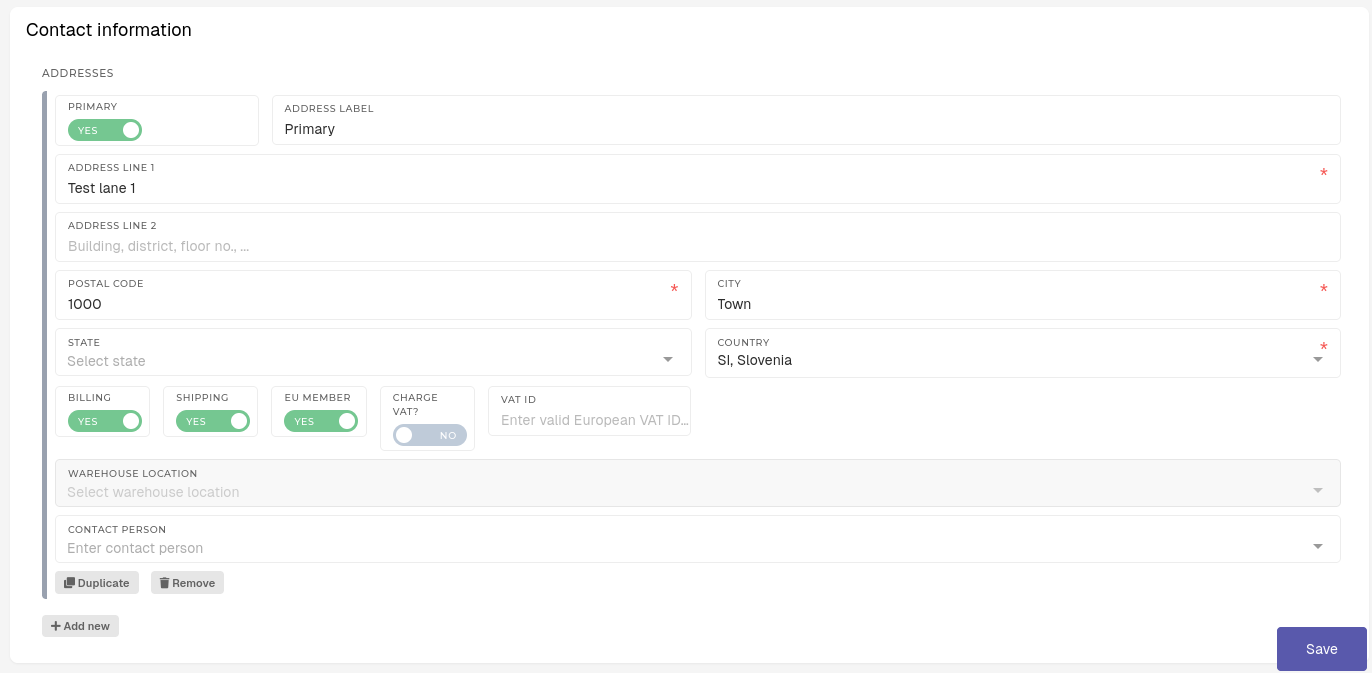 For the work location addresses, the following fields are important: - **Primary** - This switch marks the address as primary address for the work location. - Only one address should be set as primary at any given time. - **Address label** - A custom label for the address. - Useful for finding a specific address, where multiple addresses exist. - **Address Line 1** - The first line of the address. - **Address Line** **2** - The second line of the address. - Is optional, if needed. - **Postal code** - The postal code of address's city. - **City** - The city, where the address is located. - **State** - The state of the address's country. - Is optional, if needed. - **Country** - The country of the address.