This action requires the **"Create goods transfers**" permission.
Transferring a fixed asset can be performed like a normal goods transfer. To transfer a fixed asset, open the "goods transfer create form" from the goods transfers table. [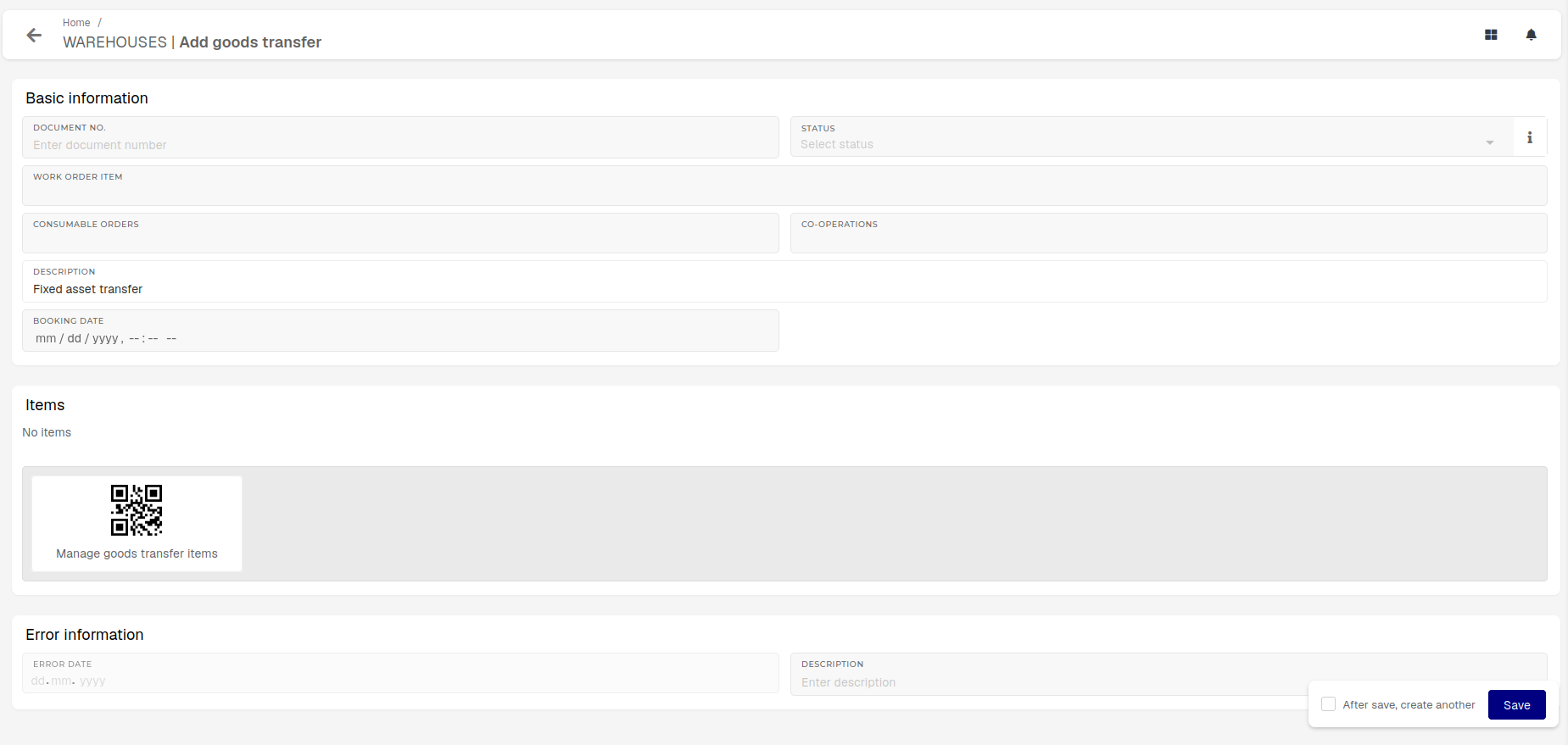](https://how-to-erp.dewesoft.com/uploads/images/gallery/2026-07/8cEimage.png) Open the items form and select a **"Fixed asset"** product**.** Once the target warehouse location for the transfer is selected, the **"Cost center"** and **"Cost center DW3"** fields will appear.**Fixed asset** is, in this example, an umbrella term that **includes** products of type: **Fixed Assets Equipment, Fixed Assets Land, Fixed Assets Inventory, Fixed Assets Building, Fixed Assets License, Fixed Assets Building investment.**
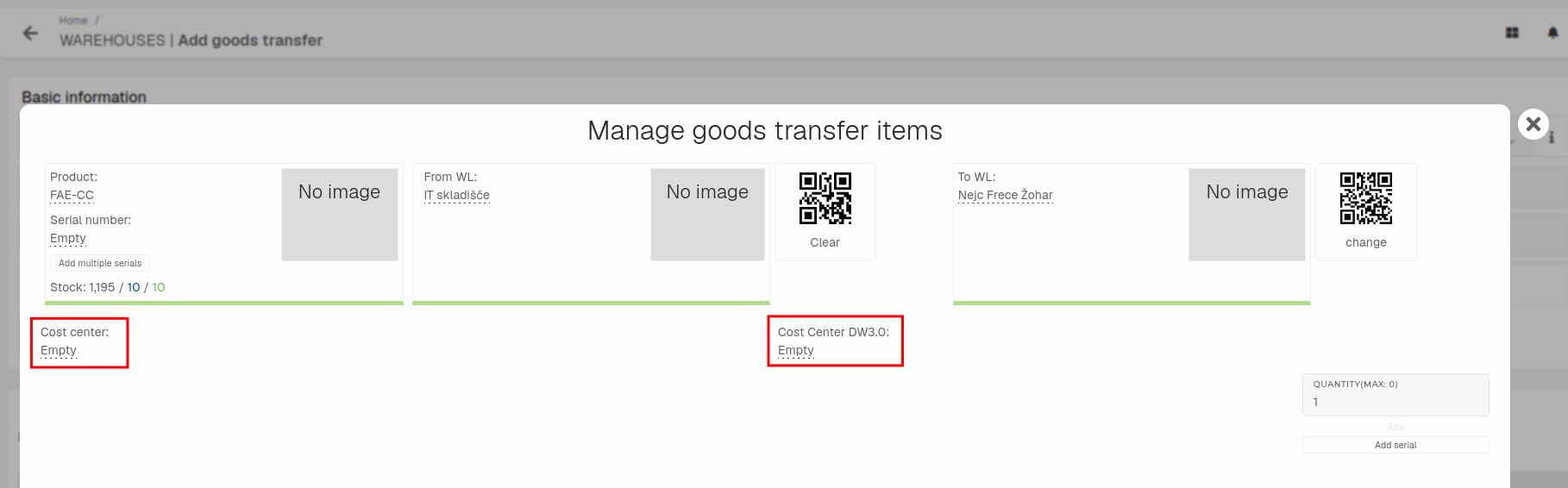 After a fixed asset's serial number is inputted and cost centers are selected, transfer to the target can be booked. 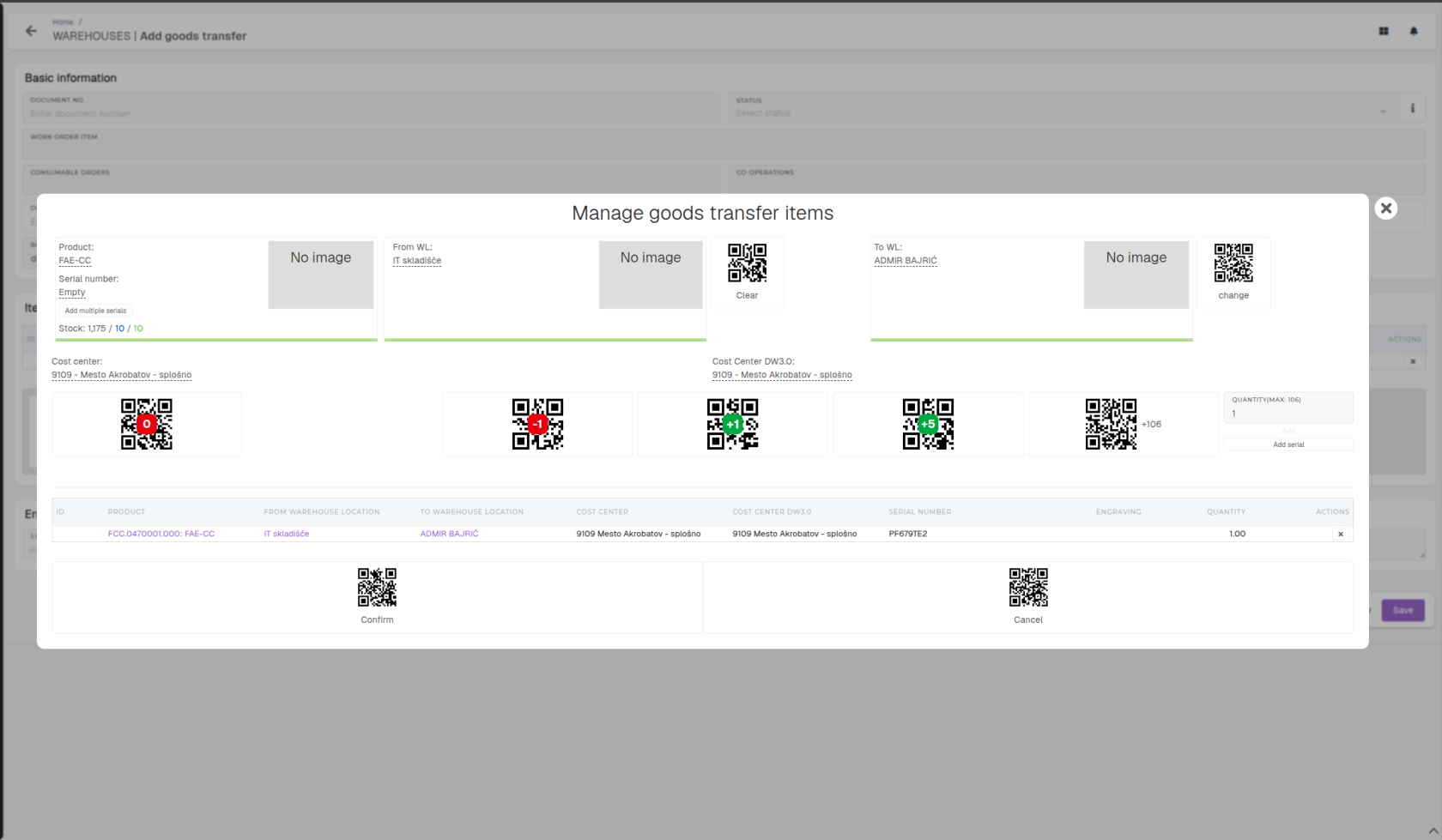 If stock and warehouse settings are in order, the goods transfer will be booked and the fixed asset moved.