
Pickup products
After reservation and rebook istasks completedare completed, the requesterassigned (ifuser promo)receives ora head of the department (if work equipemnt) get task to pickup products. This can be done at the warehouse window.
Which user is assigned the "Pickup" task is dependent on which products have been ordered (promotional or work equipment)
Promo order pickup
If the order is for promotional products, the task is assigned to the requester.
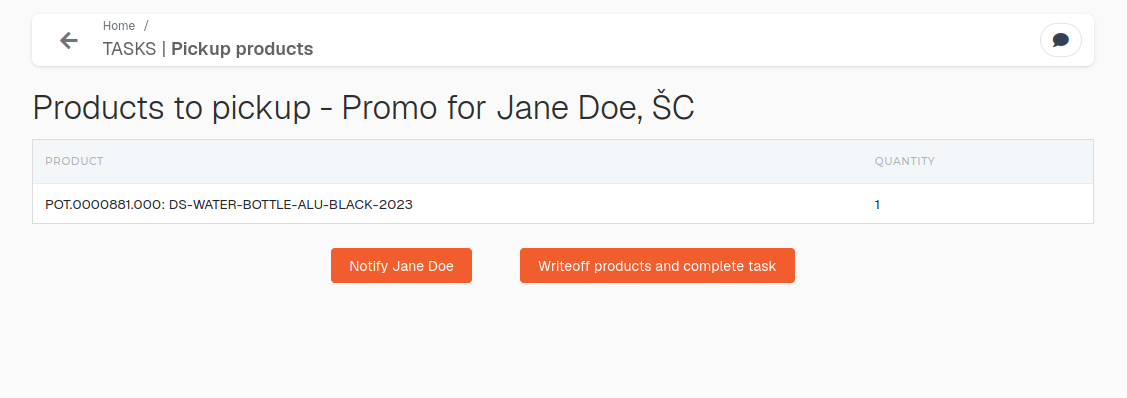
Once collected,products userhave canbeen notifycollected by the assigned user, the order's "end customer" can be notified to collect items.items by clicking the "Notify user" button.
After promotional items are given away"picked-up", the requestrequester orshould head ofclick the department clicks writeoff"Write-off products and complete task" button. This will finish and close the task.
If pickupthe products"pick-up" task is from MOa merch order, thisclosing actionit will will trigger writeoff,a material write-off, create invoice and delivery note. Invoice will automaticallythen be automatically sent to customer.the "end customer".
Work equipment pickup
If the order is for work equipment, the task is assigned to the head of the department.
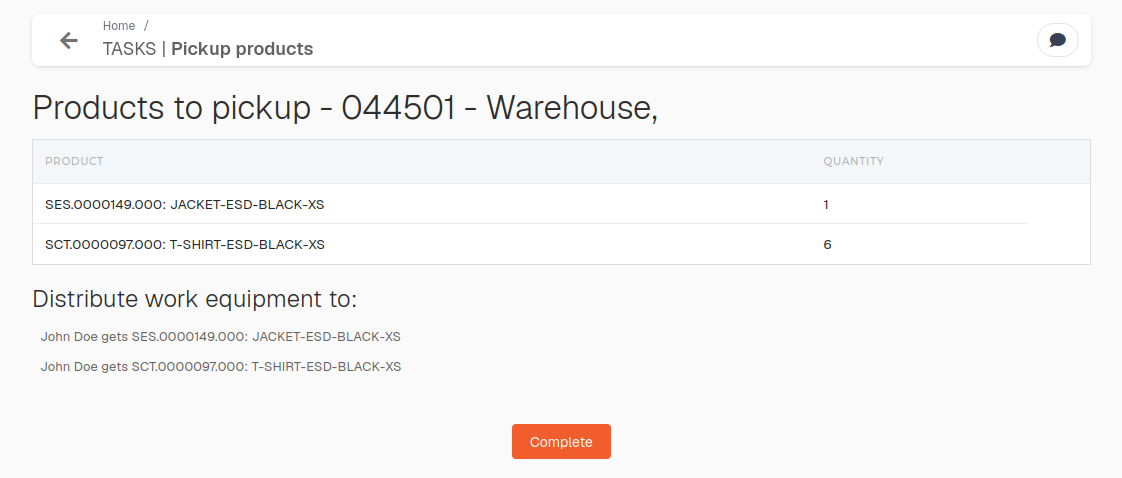
After items are "picked-up" , the head of the department should click "Complete" to finish and close the task.