
Step 5: Documentation
1.
2.
3. Print all lists + label
Press
Print needed documents (Packing list, Delivery note, Invoce, AWB)
Put all labels on packages (AWB, Fragile, 7-year warranty) and one red pocket
put documents inside red pocket and close
in app press "Next"
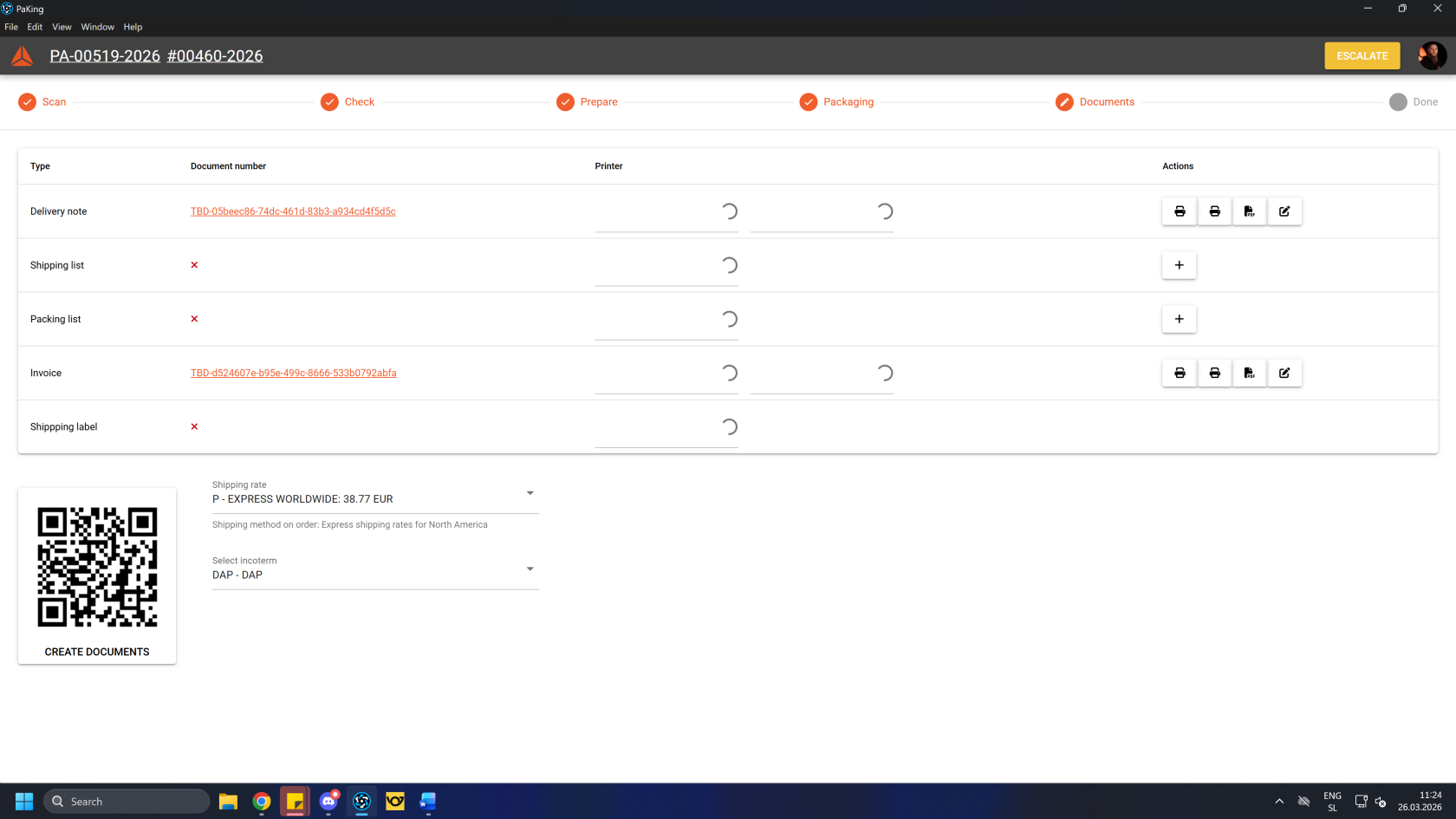
Create documents
First, click/scan the "Create documents" button. This will generate packing documentation for the current packing work order.
Clicking/scanning
thebutton
createsCreatedelivery documentsnote, shipping list, packing list etc. for the current packing work order.
PrintOnce all the documents are created, print 2 copies of delivery notes, 2 copies of order's invoice, 1 copy of the packing list and 1 copy of AWB (2xair Deliverywaybill, note,also 2xknown Invoice,as 1xa Packingconsignment list, 1x AWB):note).
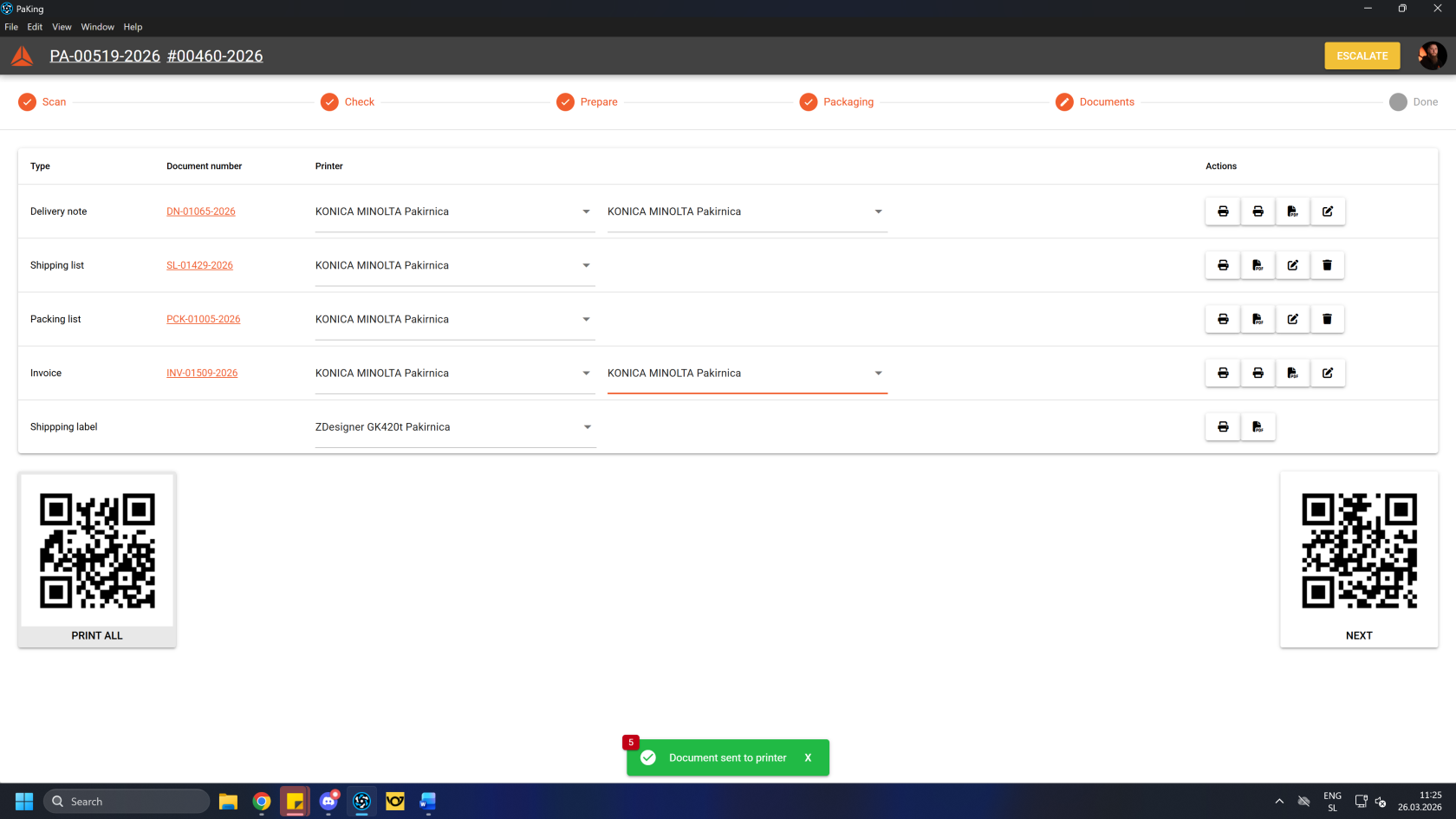
Once finished, click/scan the "Next" button to complete the process.
After the process in the PacKing app is completed, take the package(s) to the pick-up location.