
Create new purchase order
This action requires the "create purchase orders" permission.
A new purchase order can be created with the "create new" form, located above the purchase orders table, found under "purchases" or here.
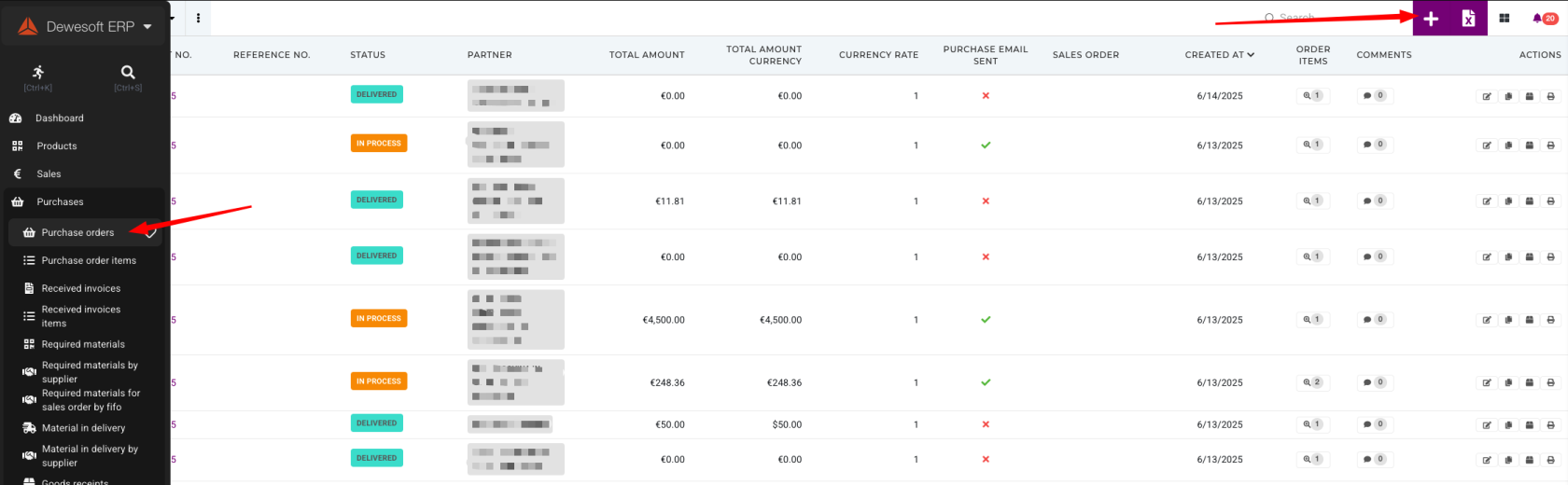
When creating a new purchase order, at least the partner (supplier) and currency code need to be selected, initially.
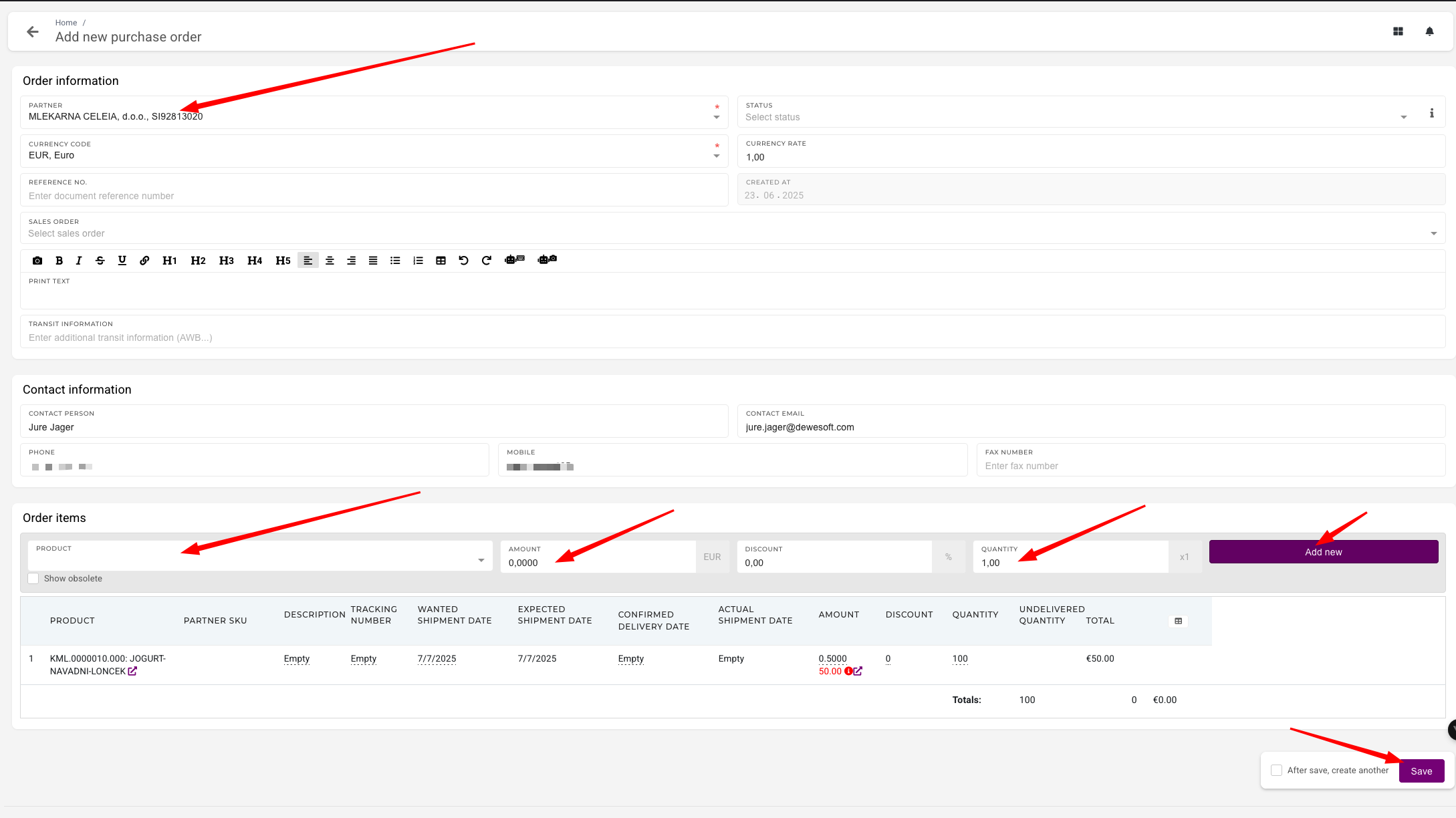
Items that will be purchased with this order can be added under "Order items" section.
Once all order items are added, the purchase order can be saved.