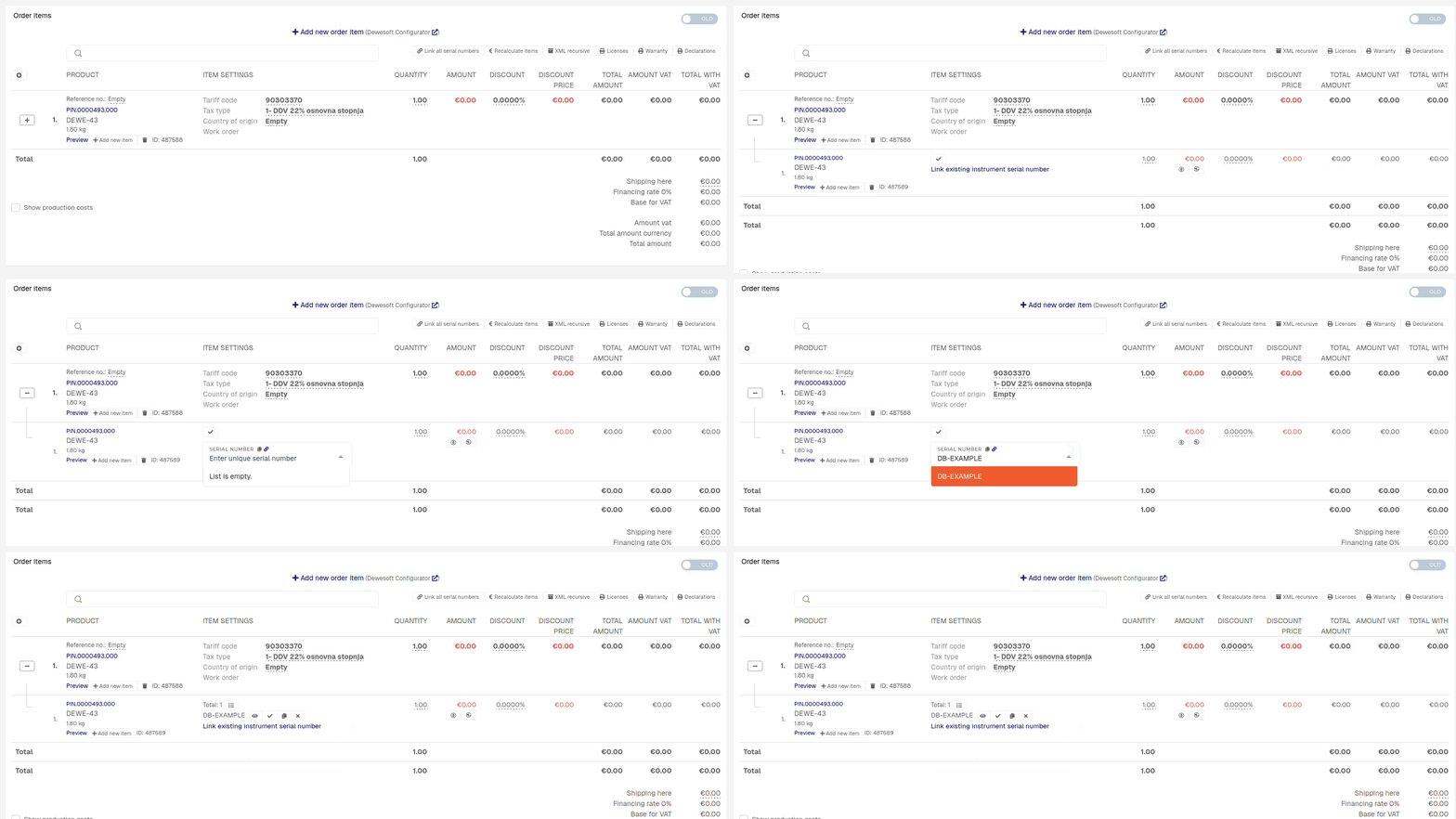
Attach serial on sale order
This action requires the "view sales order" and "update sales order" permissions.
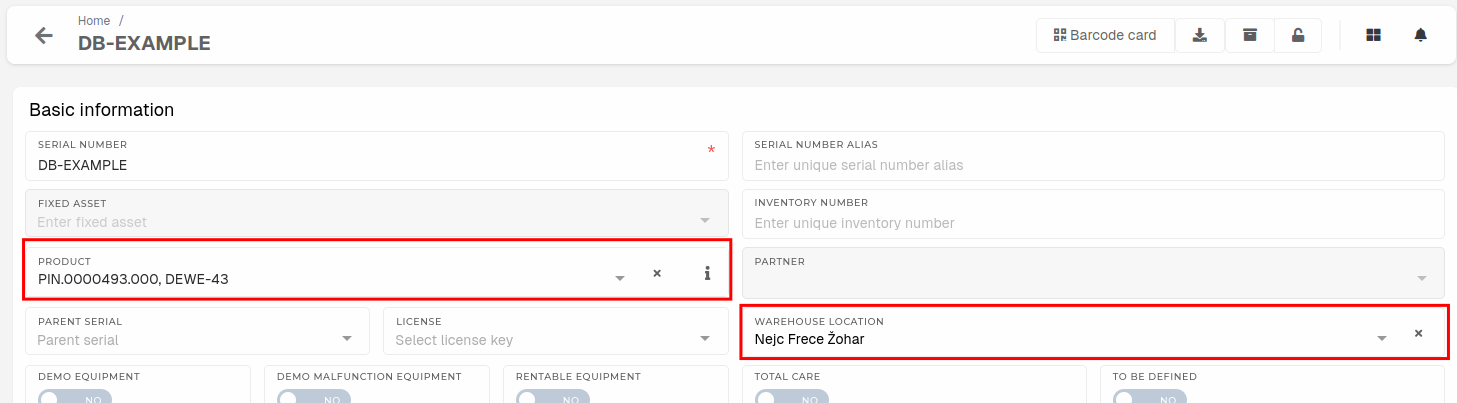
To attach a serial on order, find the serial's number and check its product and warehouse location.
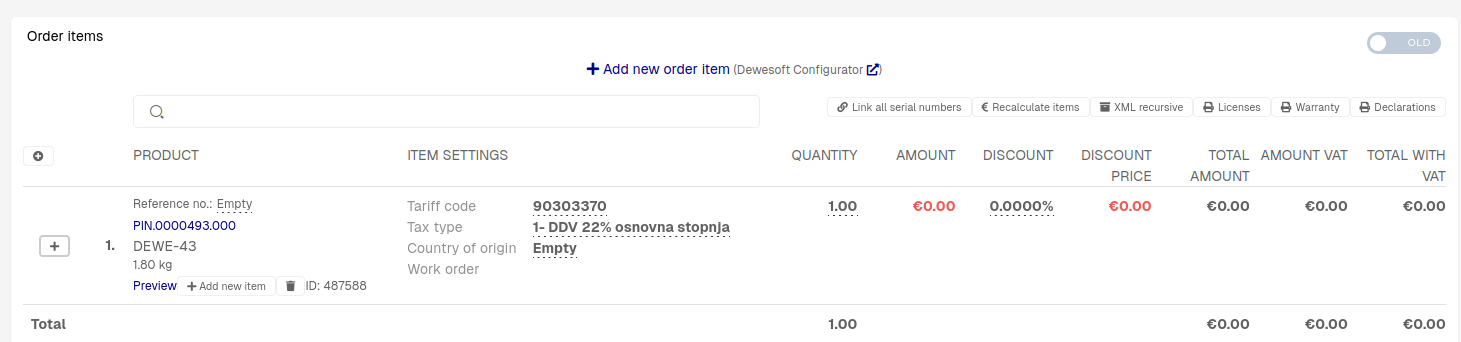
Open the order, where the serials should be attached and navigate to the "order items" section.
Serial must have the same product set as product of the order item and must be on your warehouse location to appear in the dropdown.
Click the "Link existing instrument serial number" button to open a dropdown, where the serial can be selected. Once the serial is attached, click the "Close" button to hide the dropdown.