
Update existing HR department
This action requires the "Update hr departments" permission.
When updating a HR department, keep in mind, that some of the information is depended upon by the HR module to continuously work function.
Among these, the "department lead" and "lunch time" are a mode se
Basic information
This section contains all information regarding the HR department.
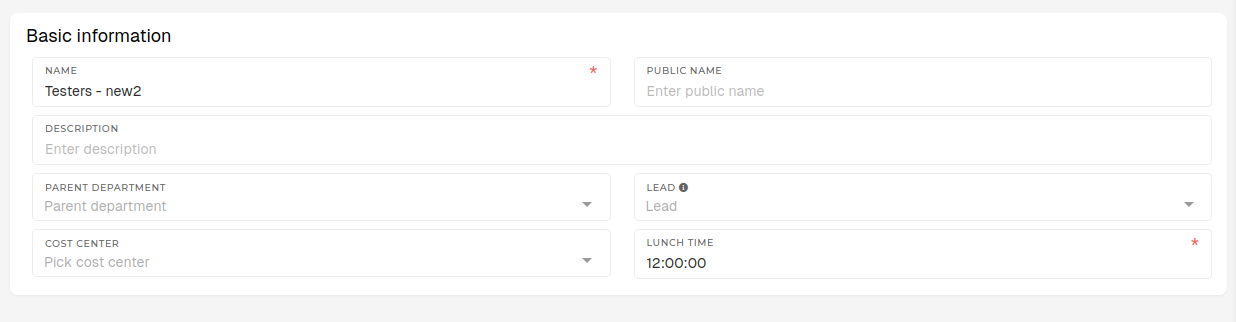
- Name
- The name of the HR department.
- Department name should generally be a unique one, in order to avoid confusion while searching through departments.
- Public name
- The public name of the HR department.
- If your HR departments are named in your native language, these should be their english equivalents.
- Description
- A short description of the HR department.
- Not required, but any additional information about the department should go here.
- Parent department
- Select a higher-level HR department, inside which the current HR department is.
- E.g. Production department is the parent department of an Assembly department.
- List contains all HR departments.
- Lead
- The lead/head of the department.
- Only users with the "Employee" role and an existing HR profile are listed here.
- The employee, who is selected here, will be the default approver for attendance requests of all employees within the department.
- Cost center
- The cost center, which applies to the department as a whole.
- Lunch time
- The time, when employees of the department should have lunch.
- The value here must be formatted as HH:MM:SS (12:00:00) or HH:MM (12:00)
- The time, set here, is used when auto-generating "Lunch" attendance events for of the department.