
Salary export
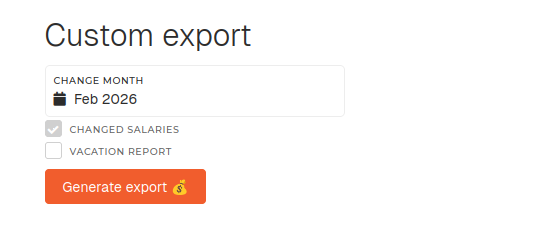
The salary export tab displays the default salary export for month, custom export for month (changed salaries export, vacation report...). This export is used during salary calculation.
Salary export
Before this export is generated, some options can be changed in order to alter the generated export.
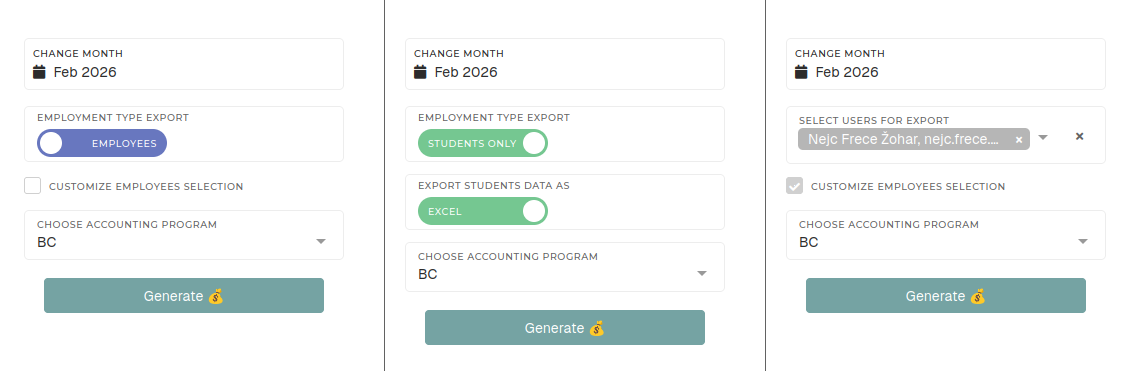
- Change month
- Select the month, for which you want to generate the salary export.
- By default, the current month is always selected.
- Employment type export
- Select user employment type to export.
- This switch determines, users of which type will be exported (employees or students).
- Export student data as
- This switch is only shown, when generating a salary export for students
- You can switch between exporting all students work data as an Excel sheet or a PDF file.
- Customize employee selection
- This toggle can be used to switch between employment type switch and custom employee selector.
- When on, "Select users for export" dropdown is shown instead of "Employment type export" switch.
- Select users for export
- You can limit the salary export to only a few select users.
- Choose accounting program
- Different exports are available., depending on your accounting software.
- Currently, available options are:
- BC (Business Central)
- Birokrat
- Opal
Custom export
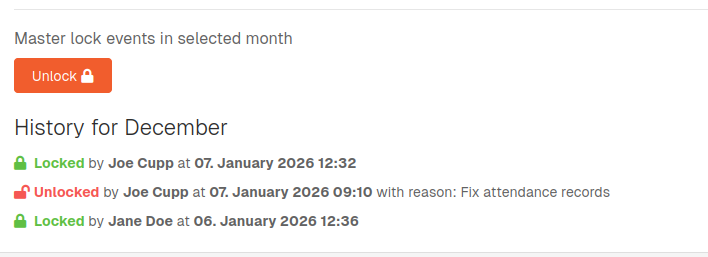
Master locking month
Exports may take more time to generate. If an export generation takes too long, it will be generated in the background and sent to your email.