Approving the month
At the end of the month, you will be responsible for confirming the entire monthly balance for every employee. Approving the month will also lock the monthly period. Once a month is locked, corrections can no longer be made, as the data is sent inly salary calculation.
The system will not allow you to confirm the monthly period until all employees have their attendance balances sorted and all requests have been confirmed.
Employees with problematic attendance records will have their entire row colored red, with every problematic request having a red background as well.

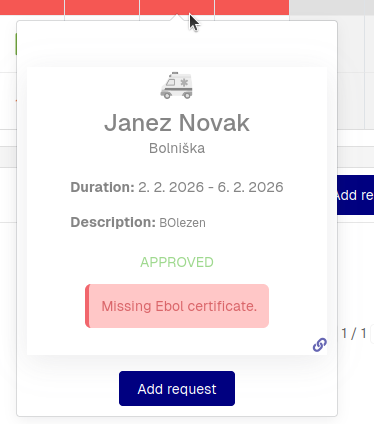
To learn, why a request is problematic, you can click on its icon. This will open a tool-tip, where the problem cause will be written out plainly.
To approve a month, click the "Approve" button at the end of the row. This will approve the entire month and lock the monthly period for that employee.